
Skildring
Completely integrates your WooCommerce customers and orders to your Fortnox CRM and Fortnox accounting software.
Requires the WooCommerce plugin.
Data export to Fortnox
- AdministrationFee
- OrderDate
- DeliveryDate
- Valuta
- Freight
- CustomerNumber
- Address1
- by
- Land
- Phone1
- DeliveryAddress1
- DeliveryCity
- DeliveryCountry
- DeliveryZipCode
- CustomerName
- DeliveryName
- VATIncluded
- E-post
- ArticleNumber
- Beskrivelse
- Unit
- DeliveredQuantity
- OrderedQuantity
- Pris
- Mva
- Discount
- DiscountType
- WayOfDelivery
The integration has a number of actions and filters available to extend the data sent to Fortnox. We do not have a complete reference for this, but you can find a list of the current ones here:
https://docs.wetail.io/woocommerce/fortnox-integration/advanced-actions-and-filters/
Skjermbilete

General settings

Automation settings

Accounting settings

Order settings
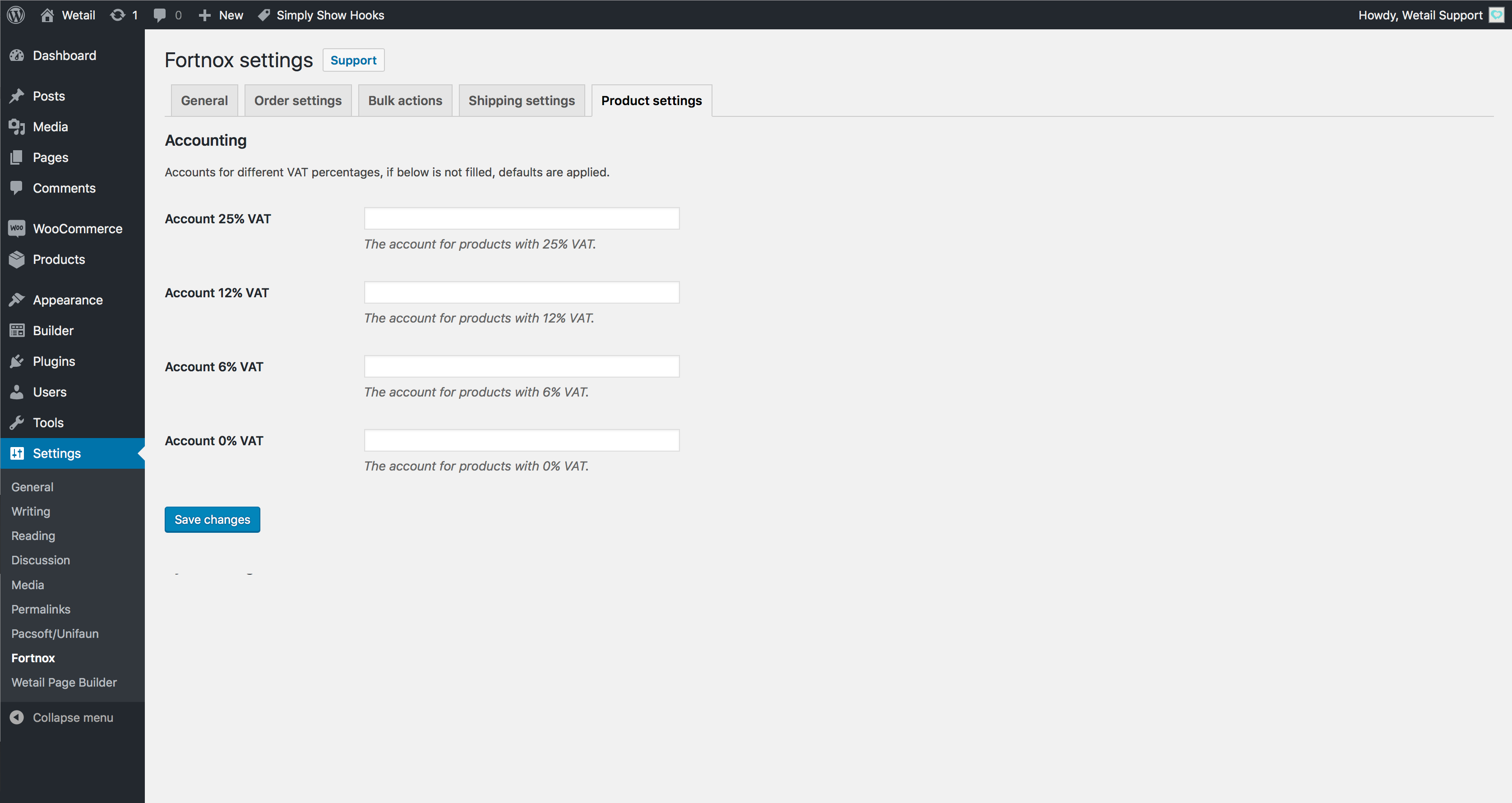
Shipping settings
Installasjon
- Install WooCommerce Fortnox Integration either via the WordPress.org plugin directory, or by uploading the files to your server.
- Activate the plugin in your WordPress Admin and go to the admin panel Settings -> Fortnox.
- Active the plugin with your API-key that you have received by email and your Fortnox API key.
- Configure the integration as needed.
- That’s it. You’re now ready to focus on sales, marketing and other cool stuff 🙂
Vanlege spm.
All FAQs are posted on our site, if you don’t find your answer we provide you with free support by email.
https://docs.wetail.io/woocommerce/fortnox-integration/
Omtalar


Bidragsytarar og utviklarar
“WooCommerce Fortnox Integration” is open source software. The following people have contributed to this plugin.
Contributors
Omset “WooCommerce Fortnox Integration” til ditt eige språk.
Interested in development?
Les kjeldekoden, sjekk SVN-lageret eller abonner på utviklingsloggen med RSS.
Endringslogg
4.4.6
- Feature: HPOS corrections
- Minor bugixes
- If refund fails on Fortnox the error is caught so that WooCommerce Refund logic is not stopped
4.4.5
- Feature: support for WooCommerce HPOS
- Feature: new setting, skip customer update if customer is present in Fortnox
- Feature: Added support for zipcodes in shipping zones
4.4.4
- Fix: Support for PHP > 8.1, when raising http timeout limit
4.4.3
- Fix: Raised time limit for access token refresh call
4.4.2
- Feature: Added action that is executed after Fortnox Invoice is created. Action name: wf_invoice_after_create
- Feature: Improved support for identifying customers with other properties than email
- Feature: Added filter that enables modifying product name in the payload sent to Fortnox Order Rows. Filter name: wf_product_name. Parameters: $payload, $product_name, $wc_order_item, $wc_order
- Bug fix: Automatic SKU generation for variations updated
4.4.1 = - Fix: Fix for order refunds that were not invoiced
- Added a new setting that disables customer update on order synchronozation.
- Added the order parameter to filter wf_customer_url, for better usage. Its now possible to fetch a customer by any Fortnox Customer parameter
4.4.0
- Added support for multisites, up to 10 different sites supported
- Fallback implementation for authorization, if WooCommerce does not accept request, containing auth tokens, from Wetail Middleware an emailed is sent to shop-admin
4.3.4
- Auth token fix
4.3.3
- License check fix
4.3.2
- Extended filters for products and ordeers
4.3.0
- Feature: Validation on organizationnumbers and trimming on VAT-Numbers
- Feature: New settings for defining sales account per country
- Fix: refund bugs corrected
4.2.5
- Bugfix: Partial refund correction
4.2.4
- Fix: License check compatability
4.2.2
- Fix: PHP 8.0 compatability
4.2.1
- Feature: New filter for order EU VAT «wf_eu_vat_number»
- Feature: Optional, emails shop admin on order synchronization failure
- Feature: Optional, purchase field on products. The field will be synchronized to Fortnox Article
- Fix: Support for shipping instanceIDs
4.2.0
- Feature: Extended support refunds
- Fix: Does not halt execution on order sync error
- Feature: Filters for VAT-Type handling
4.1.9
- Fix: Extended support for order numbers with characters
4.1.8
- Fix: Longer window for authentication
4.1.5
- New authentication flow
4.1.0
- Feature: Refund order sync on manual order synchronization
- Bugfix: Refund order EU VAT
- Bugfix: . added to SKU handling
- Removed GB out of EU Countries
4.0.8
- Fix: Support for WooCommerce EU VAT Number
4.0.7
- Bugfix: on Fortnox error codes
4.0.6
- Bugfix: removal of attribute appendix on order rows
4.0.5
- Added GB to EU VAT countries
4.0.4
- Bugfix error message
4.0.3
- Bugfix for initial install
- Bufix: Errorhandling on POST and PUT requests
4.0.2
- Bugfix: Paymentways
- Fix: Does not make a invoice payment if order total is zero
4.0.0
- Complete overhaul of the way settings are presented to the customer, including visualisation of integration presets, Fortnox presets etc.
- Updated testing for current WP versions
3.23.2
- Throttling fix
3.23.1
- License check for < PHP 7.1
3.23.0
- Bugfixes
3.22.0
- Added support for adding different invoice payment accounts by payment gateway
- New hook for custom shipping method: wetail_fortnox_custom_order_shipping
3.21.3
- Added order syncing created in specified date range
3.21.1
- Fix for Warehouse module
- Fix for updating settings on suffixed domains
3.21
- Bugfix for adress
- Bugfix for checking authorize code
3.20.3
- Fix for adress, if shipping address is empty billing adress is sent
3.20.2
- Added icon for order notifications
- Added extra support for admin fees
3.20.1
- Bugfix for hook «woocommerce_before_resend_order_emails»
3.20
- Improved help links
- File naming convention change
3.0.30.22
- Added log
3.0.30.21
- BUGFIX: Invoice payment
3.0.30.20
- BUGFIX: Billing company number value fix
3.0.30.19
- BUG: Sync inventory from Fortnox fixed
3.0.30.18
- BUG: Does not sync product stock on order synchronization
3.0.30.17
- FIX: Uses order date when making invoice payment to avoid timezone problems
- New Hook: wetail_fortnox_invoice_payment
3.0.30.10
- Added support for EU VAT with https://woocommerce.com/products/eu-vat-number/
3.0.30.05
- New hook for products «wetail_fortnox_after_product_price_update».
- Updated automatic SKU handling
3.0.30.04
- Bugfixes.
3.0.30.03
- Better support for credit notes .
- Added hook wetail_fortnox_invoice_before_fortnox_submit
3.0.30.00
- Added better support for sales with 6% and 12% VAT .
- New filter for adding AccountNumber to OrderRow, wetail_fortnox_modify_order_row_sales_account
- New filter for order shipping AccountNumber, wetail_fortnox_shipping_account
3.0.26.31
- Added a setting for a freight product for shipping outside EU.
- If shipping to US, state is added to Delivery Address 2.
3.0.26.30
- Bugfix for Klarna Fortnox automatic payments.
- Added a setting for automatic SKU creation if SKU is missing.
3.0.26.24
- Bugfix for credit notes.
- YourReference is set on Invoices.
3.0.26.21
- Added functionality for refunding orders. Plugin will now create a credit note for refunded order.
- Added extra hook for overriding Order->VATIncluded.
- Refactoring.
3.0.26.00
- Added external logging functionality.
- Refactoring and bugfixes.
3.0.25.20
- Added filter for Fortnox customer details, «wetail_fortnox_sync_modify_customer».
- Added support of width, height, length and weight when syncing products to Fortnox.
3.0.25.19
- Minor improvements.
3.0.25.18
- Shipping methods from «Rest of the world» can now be configured under the plugins shipping settings.
3.0.25.17
- Fixed so that a SKU for product is required in order to sync to Fortnox.
3.0.25.16
- Minor bugfixes
3.0.25.15
- Minor bugfixes
3.0.25.14
- Organization number can now be added and synced with Fortnox.
3.0.25.13
- The plugin is now backwards compatible with WooCommerce >2.5
3.0.25.12
- Updates required for WooCommerce 3.0
- Minor bugfixes
3.0.25.11
- The plugin will now allow sync of orders with removed products in WooCommerce. The sales account for the row will
come from the predefined accounts in Fortnox. - Fixed incorrect tax on shipping fee when using non line item shipping. We previously included tax in the shipping fee
which was incorrect since Fortnox calculates tax on the shipping fee itself.
3.0.25.10
- Order auto-sync function now works better with plugins that override WooCommerce
order statuses. - Added option to copy order remarks from order to invoice in Fortnox
- Added option to set order currency rate from Fortnox currencies settings if the orders currency isn’t
SEK. - Fixed bug where order items with a price of 0 would cause a tax rate calculation error
3.0.25.9
- Fixed bug where orders without an email address would replace the first customers
details in Fortnox.
3.0.25.8
- Fixed bug where discounts were applied inccorectly in Fortnox when ordered item quantity
was more than 1. - Sales accounts are now determined from the Article settings instead of the
predefined accounts settings in Fortnox. This means that you can sync a product, edit the
bookkeeping accounts from within Fortnox, and it will be used for all order syncs.
If an article doesn’t have any custom accounts, it will use the predefined default one.
3.0.25.7
- You can now sync an order even if it has been synced before, if the order hasn’t been turned
into an invoice already. This will update the order in Fortnox. - Plugin will set prices to excl. VAT in fortnox when syncing customers and order rows
- Added support for invoice fees. They must be added to an order as a «fee» in
WooCommerce, and have the name of «Faktura». It will be added to Fortnox
as an Administration fee.
3.0.25.6
- You can now choose which WooCommerce order status to automatically sync on
in the plugins settings page. - Fixed incorrect way of determining an order items taxrate when syncing order.
This happened due to some WooCommerce installs having zero decimals configured,
which caused rounding on the tax line.
3.0.25.5
- Fixed bug that prevented sync of variable articles
3.0.25.4
- Minor improvements
3.0.25.3
- Shipping product (if set) will now be correctly synced to Fortnox orders
and has it’s account number set from the predefined account for shipping
under Fortnox settings.
3.0.25.2
- Re-enabled advanced shipping options tab under plugin settings
3.0.25.1
- Fixed bug where order line items where calculated incorrectly
3.0.25
- Removed «Show advanced settings» tab
- Removed bookkeeping accounts settings from the plugins settings page
- Fixed previously unreliable way to determine a customers VAT type
-
Fixed the way the plugin gets the sales account for order rows.
It now comes from the predefined accounts in Fortnox and it will
correctly determine the account to get depending on the customers VAT-type.For example: EU customer with VAT-number will set the sales account to the predefined
account for EU reversed VAT.It is important that you set a product as «Virtual» in WooCommerce if it’s a service
-
The plugin no longer syncs bookkeeping accounts to the product in Fortnox.
Instead, we set it on the orders, see above. - The plugin now determines the price of items on an order from the order itself,
instead of the underlying product. We also get the discounts from the order in
a more reliable way. - Fixed bug where a product without a SKU had it’s ID missing during order sync,
sometimes resulting in an order being synced without a reference to it’s article in
Fortnox.
3.0.24
- Products can now have special symbols (UTF-8) in their names
- Fixed bug where you couldn’t reach the plugins settings page
in some cases.