
Skjermbilete
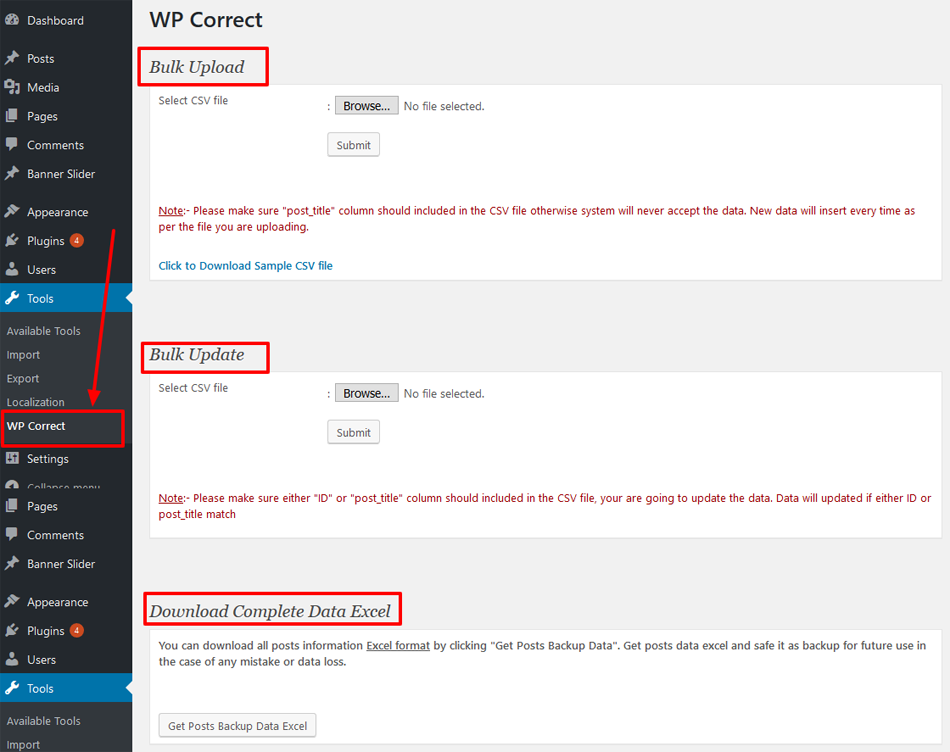
screen 01
Installasjon
This section describes how to install the plugin and get it working.
e.g.
- Upload
plugin folderto the/wp-content/plugins/directory - Activate the plugin through the «Plugins» menu in WordPress
- See the plugin Actived
- Once you have installed this plugin, you can see the «WP Correct» link from wp-admin > Tools (left menu) Section.
Vanlege spm.
- Why WP Post Corrector ?
-
Some times it’s necessary to update all blog post data. If there are few posts then it’s easy to manage but is there are large number then it’s really time consuming task. Also one kind of laber task. In such case using «WP Post Corrector», you can get all the data in a single excel file, update or correct it and re upload in via «Bulk Update». Faster and easiest way.
- Which type of files can upload?
-
This plugin supports only Microsoft excel format while get backup and CSV format from Microsoft excel only for Bulk Upload and Bulk Update. No other formats are supported.
- Why CSV format only?
-
As in csv our data contains as normal string data not formatted like in excel sheet. As an Example if we are using excel sheet and want to insert date as one of post data, Excel
Will format the date format to its standard format instead of our post data format so
It may mismatch of data and case of wrong data format. - How many posts can be inserted at a time?
-
You can insert 800 to 1000 posts at a time. It meanse you can insert that many post with complete data in the csv file and uplod or update at a time.
Omtalar
There are no reviews for this plugin.
Bidragsytarar og utviklarar
“WP Post Corrector” is open source software. The following people have contributed to this plugin.
Contributors
Omset “WP Post Corrector” til ditt eige språk.
Interested in development?
Les kjeldekoden, sjekk SVN-lageret eller abonner på utviklingsloggen med RSS.
Endringslogg
1.0.2
- correction as per latest wordpress version.
1.0.1
- correction as per latest wordpress version.
1.0.0
- Fresh Version