

Skildring
PublishDesk Connector turns WordPress into a newsroom command center. Connect a
free PublishDesk workspace and run your whole editorial operation — breaking
coverage, multi-site publishing, and post management — without living in
wp-admin. It also ships a genuinely useful free breaking-news banner that
works with no account at all.
What you can do
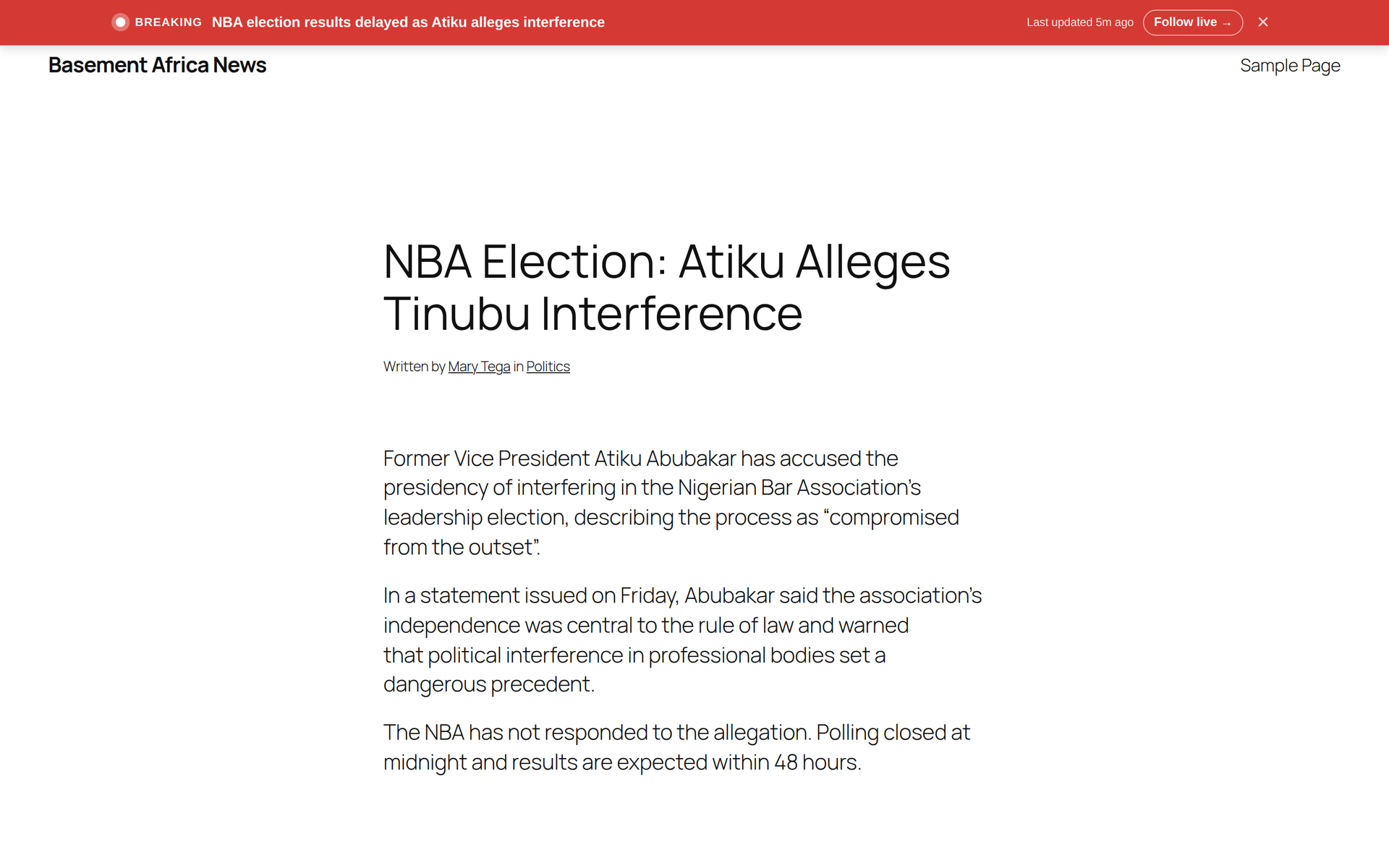
- Breaking-news banner and live coverage like the major networks. Go live in
PublishDesk and a site-wide breaking banner appears on your site — pulsing LIVE
indicator, auto-updating «last updated» time, and a link to the full live
story. Optional CNN-style ticker. Works with no JavaScript (server-rendered). - Publish into the exact category on any of your sites. PublishDesk reads
each site’s real category tree (including sub-categories), tags, and menus
through this connector, so a post lands in precisely the term you choose — on
every site, each with its own taxonomy. - Manage, move, and update posts without logging into wp-admin. Update
content, move between categories, change status, or remove posts remotely — and
detect when someone edited a post directly in WordPress, with no silent
overwrites. - One editorial workflow across all your WordPress sites. Plan, draft, review,
and publish from a single workspace. - AI-assisted drafting under full editorial control. Your content is processed
to provide features and is never used to train AI models.
Free, no account required
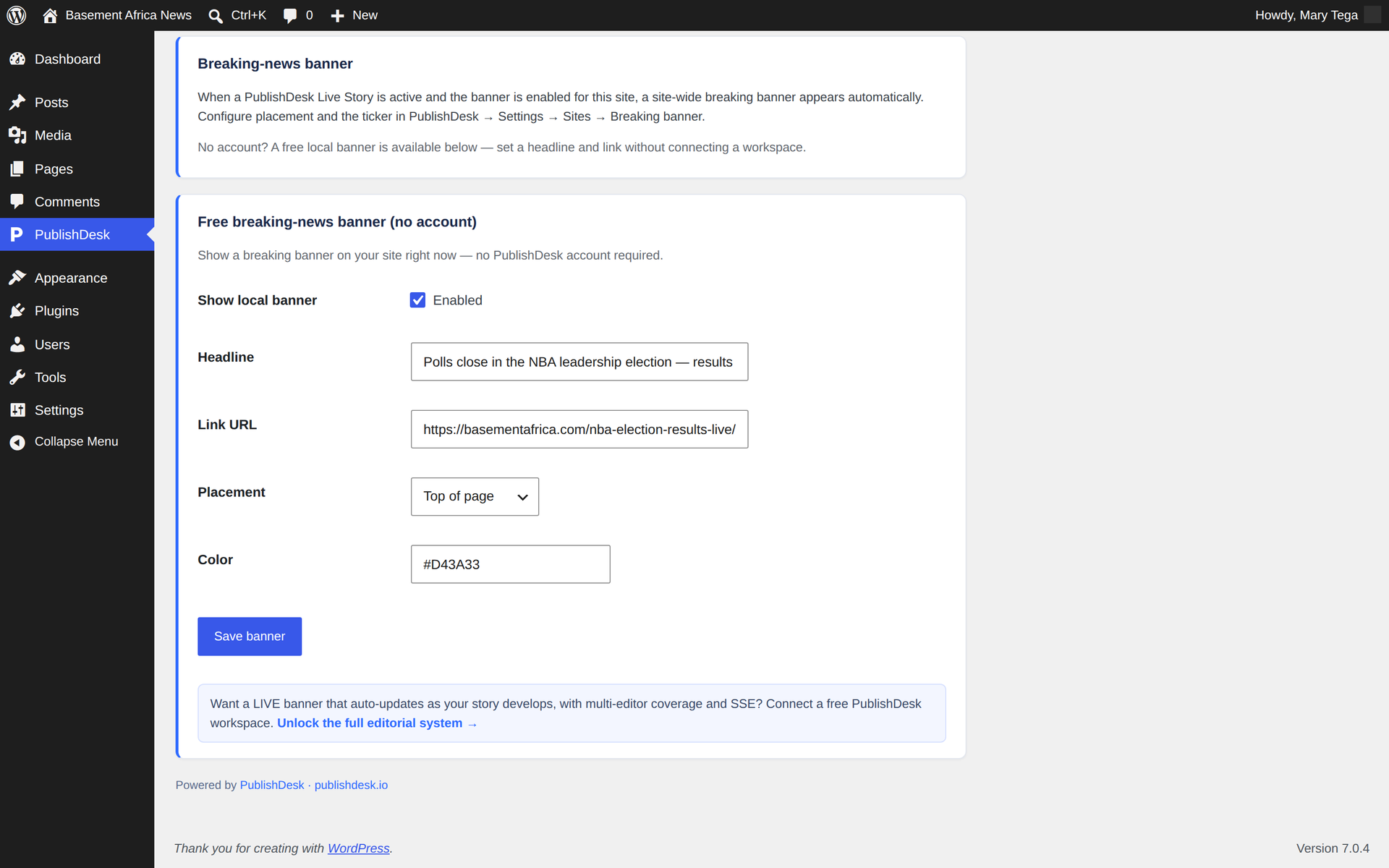
- Local breaking-news banner. Set a headline, link, color, and placement right
here in the plugin settings and show a breaking banner on your site — no
PublishDesk account needed.
Free vs. the full command center
- Free (local mode): the local breaking-news banner, controlled from this
plugin’s settings. - With a free PublishDesk workspace: live multi-editor breaking coverage with
real-time updates, publish-from-anywhere into exact categories, remote post
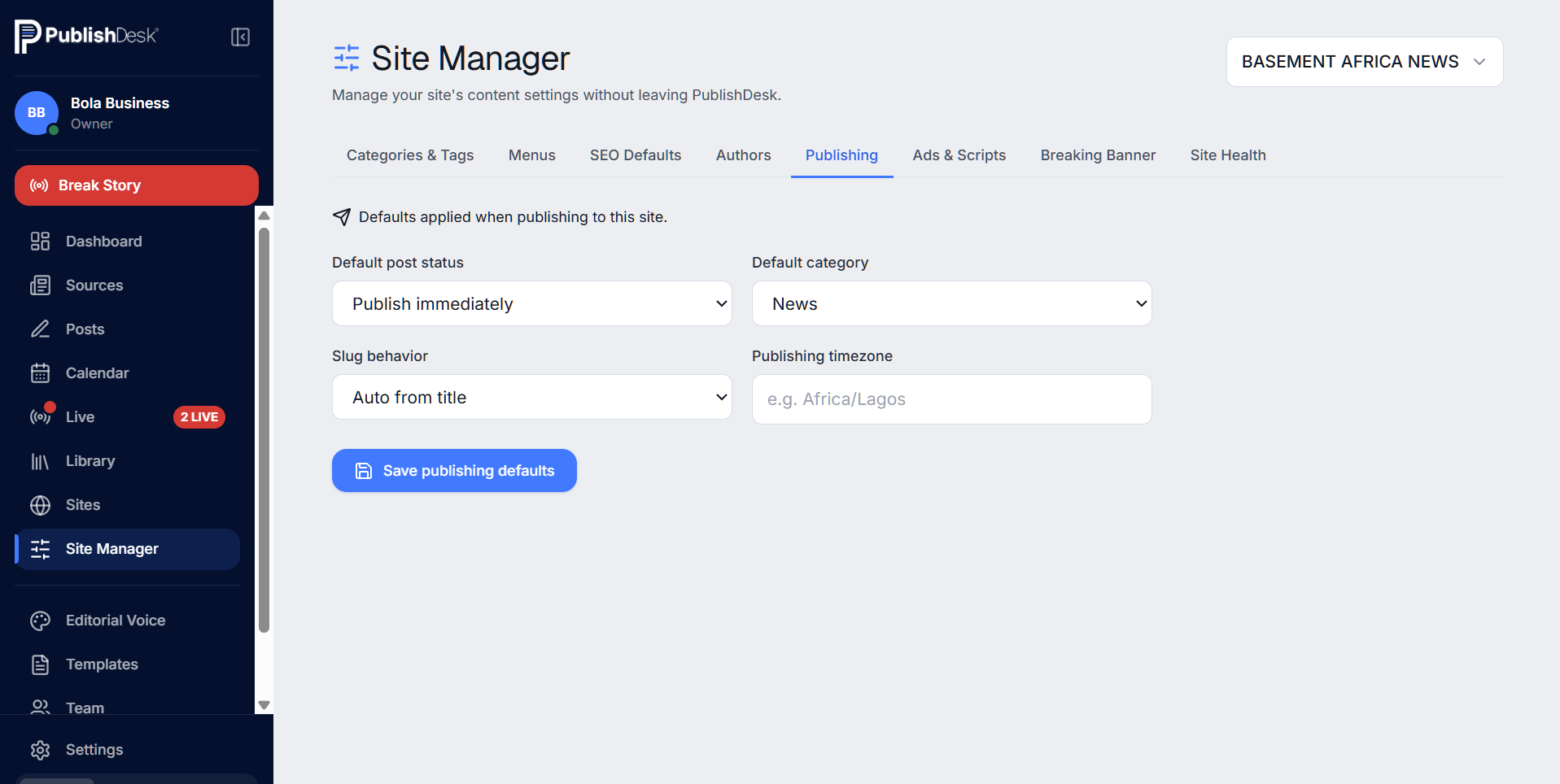
management, drift detection, the full taxonomy/menu sync, the Site Manager, and
the AI editorial workflow.
PublishDesk is an external service. Connecting is optional; the free local
features above work without it. See the privacy policy at
https://publishdesk.io/legal/privacy and terms at
https://publishdesk.io/legal/terms.
External services
This plugin’s free local feature (the breaking-news banner) runs entirely on your
own site and makes no outbound calls.
If you choose to connect a PublishDesk workspace, this plugin communicates with
the PublishDesk API, hosted at https://api.publishdesk.io (the address is
fixed; there is no way to point it elsewhere from the plugin settings except an
advanced field for self-hosted/development use).
- What is sent: your site’s URL, the WordPress Application Password you
create for the connection, and the editorial content, categories, tags, and
post metadata needed to publish or manage a post you have explicitly asked
PublishDesk to handle. No data is sent unless and until you complete the
connection step in this plugin’s settings. - When it is sent: when you actively use a connected feature — publish from
PublishDesk, sync taxonomy, load live-coverage updates, or check the
connection’s health — and, once a workspace is connected, on a periodic
background schedule (about once a minute via WP-Cron) to pull and publish any
posts you have queued in PublishDesk for this site. This outbound delivery lets
publishing work even on hosts whose firewall blocks incoming requests. The
plugin makes no calls to PublishDesk until you complete the connection step. - Why: PublishDesk is the paid editorial workspace this plugin connects to;
the service is the plugin’s stated purpose (multi-site publishing, breaking
coverage, and remote post management), not incidental data collection. - Images: when PublishDesk delivers a post that has a featured image, this
plugin downloads that image file from PublishDesk’s media host,
https://media.publishdesk.io, and stores it in your own WordPress media
library. This happens only while publishing a post you queued in PublishDesk,
and only for a connected site. - Provider: PublishDesk (https://publishdesk.io).
Terms of use: https://publishdesk.io/legal/terms
Privacy policy: https://publishdesk.io/legal/privacy
Skjermbilete
Blokker
Denne utvidinga gjev 1 blokk.
- PublishDesk Live Story
Installasjon
- Upload the
publishdesk-connectorfolder to/wp-content/plugins/, or install the zip via Plugins Add New Upload. - Activate the plugin through the Plugins menu in WordPress.
- Open the new PublishDesk menu in wp-admin.
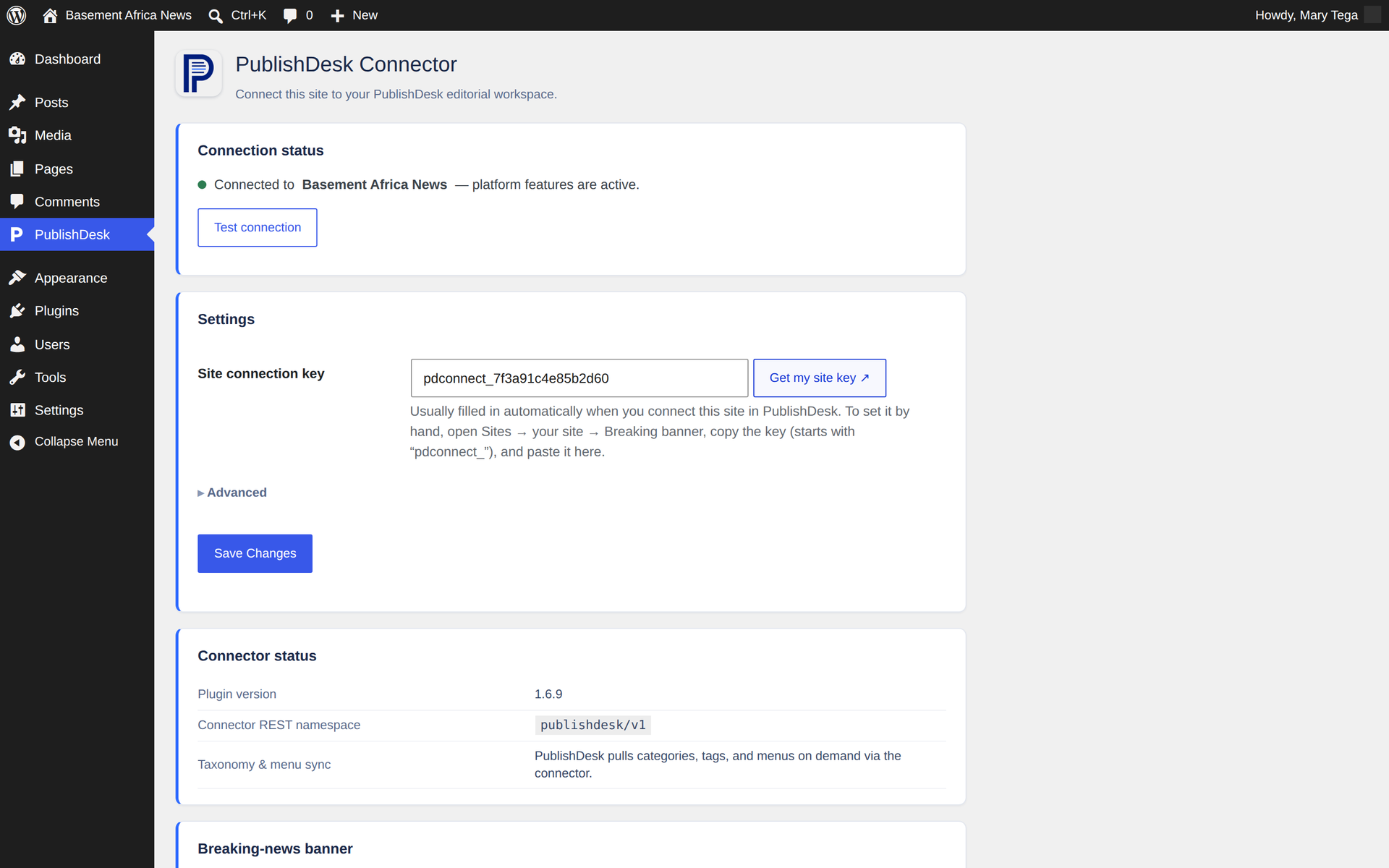
- (Optional) To connect a workspace, set the API base URL and paste your Site connection key from PublishDesk Settings Sites Breaking banner, then click Test connection.
- (Free, no account) Configure the local breaking-news banner right on the settings page.
Vanlege spm.
-
Is it free?
-
Yes. The local breaking-news banner works with no account. The full editorial
command center requires a free PublishDesk workspace. -
Do I need a PublishDesk account?
-
No — for the free local features. To run live multi-editor coverage, publish into
exact categories from one workspace, and manage posts remotely, connect a free
PublishDesk workspace. -
Will it work with my theme?
-
Yes. The banner renders in a hook the plugin owns (
wp_footer), so it can’t
break your theme’s structure. -
Is my data safe?
-
Connections use an application password you control, and your content is never
used to train AI models. See https://publishdesk.io/legal/privacy. -
Does it support my SEO plugin?
-
PublishDesk detects Yoast and Rank Math and bridges their fields where available.
-
Can I manage multiple sites?
-
Yes — that’s the point. One workspace targets each connected site’s own
categories, tags, and menus.
Omtalar
There are no reviews for this plugin.
Bidragsytarar og utviklarar
“PublishDesk Connector” is open source software. The following people have contributed to this plugin.
Contributors
Omset “PublishDesk Connector” til ditt eige språk.
Interested in development?
Les kjeldekoden, sjekk SVN-lageret eller abonner på utviklingsloggen med RSS.
Endringslogg
1.6.9
- Fixed the wp-admin menu icon, which rendered oversized and overflowed its row
in the admin sidebar. WordPress emits a raster menu icon as an unconstrained
, so the 40×40 PNG was drawn at full size inside a 36×34 slot and
collided with the menu items above and below it. The icon is now an inline
monochrome SVG data URI, which WordPress sizes to 20px and gives the same
rest, hover and active treatment as its own Dashicons. Reported by the
WordPress.org plugin review team on 25 August. - Removed the now-unused
assets/menu-icon.png.
1.6.8
- Security: the status-change endpoint now resolves the publish capability from
the post type’s own capability object ($post_type->cap->publish_posts)
instead of relying on a meta-capability name, and reads the requested status
from any request transport (JSON body, form body, or query string) so the
publish check cannot be skipped by sending the status a different way. A
missing or unrecognised status is now rejected outright instead of falling
through to the permissive branch, and the publish capability is re-asserted at
the point of write. - Security: category and tag endpoints now check the taxonomy’s own registered
capabilities — create uses the taxonomy’sedit_termscapability, and
update/delete use WordPress core’s per-termedit_term/delete_termmeta
capabilities — instead of a single hard-codedmanage_categoriescheck. - Security: the byline post-meta
auth_callbacknow checks edit access to the
specific post rather than the site-wideedit_postscapability. - Security: setting a featured image now verifies the supplied media id is an
image attachment and that the caller may use it. - Security: the public live-state proxy bounds the channel key in the route
pattern, validates it, and caches upstream failures, so an unauthenticated
caller cannot force one outbound request per hit. - Fixed a «translation loading was triggered too early» notice on sites running
with WP_DEBUG enabled: the delivery schedule is now registered oninit. - Sanitized and unslashed the user-agent string read by the reader-view counter.
- Reassigning posts when deleting a category now runs in bounded batches instead
of loading every post in the category at once. - Added
uninstall.phpso deleting the plugin removes its options, transients,
and scheduled event (including on multisite).
1.6.7
- Security:
DELETE /posts/{id}now requires the post’s actual delete
capability instead of edit access, andPOST /posts/{id}/statusnow
requires publish capability when the target status is publish or private
(draft/pending still only need edit access). Matches the 14 Aug review. - Removed the unprefixed
[publishdesk_live]shortcode alias; the shortcode
is[pdconnect_live]only, so every registered name uses the plugin’s
distinct prefix.
1.6.6
- Fixed the «Test connection» button reporting a failure even when the site was
connected correctly. (The button’s request used an outdated internal action
name after the 1.6.4 renaming, so WordPress never routed it to the plugin.)
1.6.5
- Internal: the plugin’s registered script/style handles now use the same longer,
distinct prefix as the rest of the plugin, so they cannot collide with another
plugin’s assets. No visible change.
1.6.4
- Removed the local Google Analytics / AdSense / site-verification fields. Use a
dedicated analytics plugin (e.g. Google Site Kit) for those. This keeps the
connector focused on publishing and the breaking-news banner. Your existing
connection and banner settings are preserved automatically on update. - Internal: renamed the plugin’s function/class/option prefixes to a longer,
more distinct prefix to avoid any chance of clashing with other plugins. - Security: tightened the permission check on the single-post read endpoint so it
requires edit access to that specific post.
1.6.3
- Reliability: posts now deliver within seconds on virtually any host. In addition
to the background scheduler, the plugin now checks for pending posts off normal
site traffic (any front-end visit or admin page load), running the check AFTER
the visitor’s page has loaded so it never slows anyone down. On sites where
WordPress’s built-in scheduler is disabled or blocked, this is what makes
publishing feel instant. - Reliability: each delivery now carries a durable one-time marker, so a retried
or re-sent delivery can never create a duplicate post — it re-confirms the
existing one instead. - A single check now publishes ALL waiting posts at once, instead of a few per run.
1.6.2
- Reliability: pending posts are now also delivered when you open your
WordPress admin, not only via the background scheduler. On hosts where
WordPress’s built-in cron is disabled or blocked (common on hardened
LiteSpeed/cPanel setups), posts could sit in «publishing» until the next
scheduled run that never came. Now simply visiting wp-admin publishes anything
waiting (throttled to at most once a minute). No settings to change.
1.6.1
- WordPress.org review compliance and packaging cleanup: build-time listing docs
are no longer shipped inside the distributed zip; confirmed every integration
slot renders from a fixed, hardcoded template with all values escaped, that no
endpoint accepts arbitrary CSS/JS/PHP, and that all REST routes are gated to an
appropriate capability. No functional change for existing sites.
1.6.0
- Firewall-proof publishing: posts can now be delivered to your site over an
outbound connection (your server fetches them from PublishDesk) instead of
PublishDesk connecting in. This keeps publishing working even on hosts whose
server firewall blocks incoming API requests — a common cause of posts getting
stuck. Delivery is automatic once the site is connected; a per-minute background
task and an on-demand nudge pull and publish any pending posts locally. - Adds a «Delivery token» setting (filled in automatically on connect; can be
pasted by hand as a fallback) and reports delivery readiness to PublishDesk.
1.5.1
- Replaced the free-text header/footer script feature with structured, whitelisted
fields for Google Analytics (GA4), Google AdSense, and search/social
verification meta tags — you enter only the ID/token the provider gives you,
and the plugin generates the tag. Removes support for arbitrary/custom
markup or script in these slots. - Security: the connect/disconnect and capabilities endpoints (which read or
write the site-wide PublishDesk connection) now require an Administrator
account (manage_options) instead of Editor-level access. - Security: the public health-check endpoint no longer discloses the WordPress
version, API base, or connection state; it now returns only plugin presence
and version. - Security: reading navigation menus via the connector now requires the same
menu-management capability already required to edit them.
1.5.0
- Maintenance and compatibility release: reliability improvements and
packaging updates. Version updates are delivered through the WordPress.org
plugin directory in the normal Updates screen.
1.4.0
- First-party reader-view counter (no Jetpack needed): singular post views are counted (bots and logged-in editors excluded) and exposed as pdc_views on the REST post object, powering the Views column in PublishDesk.
1.3.1
- Security hardening: the connect/disconnect endpoints now require Editor-or-above
(edit_others_posts) instead ofedit_posts, so Contributor/Author accounts
can no longer modify the site-wide connection. Auto-provisioning is unaffected
(PublishDesk connects with Admin/Editor application passwords). - Remote post update now accepts a
bylinefield, so changing the author line
from PublishDesk updates the live post in one push (an empty byline clears the
override and restores the native WordPress author).
1.3.0
- One-click connection: PublishDesk now configures this plugin automatically over
the site’s existing application-password link — no key to copy or paste. Open
Sites your site Connect in PublishDesk and the connection key, API base, and
workspace are provisioned for you. - New authenticated endpoints (edit_posts): publishdesk/v1/connect,
publishdesk/v1/disconnect, and publishdesk/v1/capabilities (environment probe +
live connection state). The connection self-heals if the key is ever rotated. - Admin now shows the connected workspace by name.
1.2.1
- Simpler setup: the site connection key is now the only field you need. The API
base URL is pre-filled to the PublishDesk host and moved under «Advanced». - Self-healing connection: a blank or invalid API base URL now resets to the
production host automatically instead of breaking live coverage/the banner. - Added a «Get my site key» link that opens PublishDesk Sites in one click.
1.2.0
- Efficiency: the public live-state proxy and live-block render now share a short
(5s) response cache, so many concurrent readers during breaking coverage
collapse into a single upstream poll instead of one call per reader. - Robustness: all outbound PublishDesk calls go through one helper with a
versioned User-Agent (PublishDesk-Connector/x.y.z; site URL) for clearer
upstream logs, an http/https-only API base guard, and consistent timeouts. - Health endpoint now reports connection state and WordPress version.
1.1.0
- Site-wide breaking-news banner driven by PublishDesk Live Stories (SSE + poll +
no-JS fallback, optional ticker, reader dismissal). - Free local-mode breaking banner and local header/footer script slots.
- Authenticated taxonomy, menu, and remote post-management endpoints.
- Branded admin experience: top-level PublishDesk menu, connection status, and
«Test connection». - WordPress.org packaging: readme, icons, banners, hardening.
1.0.0
- Initial release: render PublishDesk live stories with real-time SSE updates and
a server-rendered no-JavaScript fallback.