Skip to content
WordPress.org

Norsk (Nynorsk)

  • Bunader
  • Innstikk
  • News
  • Om
  • Bidra til nynorskomsetjinga
  • Remembers
  • Blocks
  • Kontakt oss
  • Education
  • WP-CLI
  • Get WordPress
Get WordPress
WordPress.org

Plugin Directory

WP ShareX

  • Submit a plugin
  • My favorites
  • Log in
  • Submit a plugin
  • My favorites
  • Log in

Dette innstikket er ikkje testa med dei tre siste utgåvene av WordPress. Det kan henda det ikkje blir vedlikehalde lenger, og kan ha problem med nyare versjonar av WordPress.

WP ShareX

Av joomdev
Last ned
  • Detaljar
  • Omtalar
  • Installasjon
  • Utvikling
Hjelp

Skildring

WP ShareX is an advanced WordPress Social Share plugin enables you to add social share buttons on Posts and pages. You can assign buttons on Top of the Content, Bottom of the Content, Sidebar and on media.

Features of WP Social Share by JoomDev
1. 24 Social Network
2. You have the option to select either Icons or Icons with Text
3. 3 Button Shapes
4. 4 Button Animations
5. URL Shortening Option with Bitly and Goo.gl
6. Embed Twitter Handle and desired tags with Tweet
7. 4 Button display Location e.i. Top of the Content, Bottom of the content, Media, and Sidebar
8. Hide On Mobile Ability
9. Default Share Count Option. (You can play with your user’s mind)
10. Encourage your Audience to share your content with Share Incentive Feature

Skjermbilete
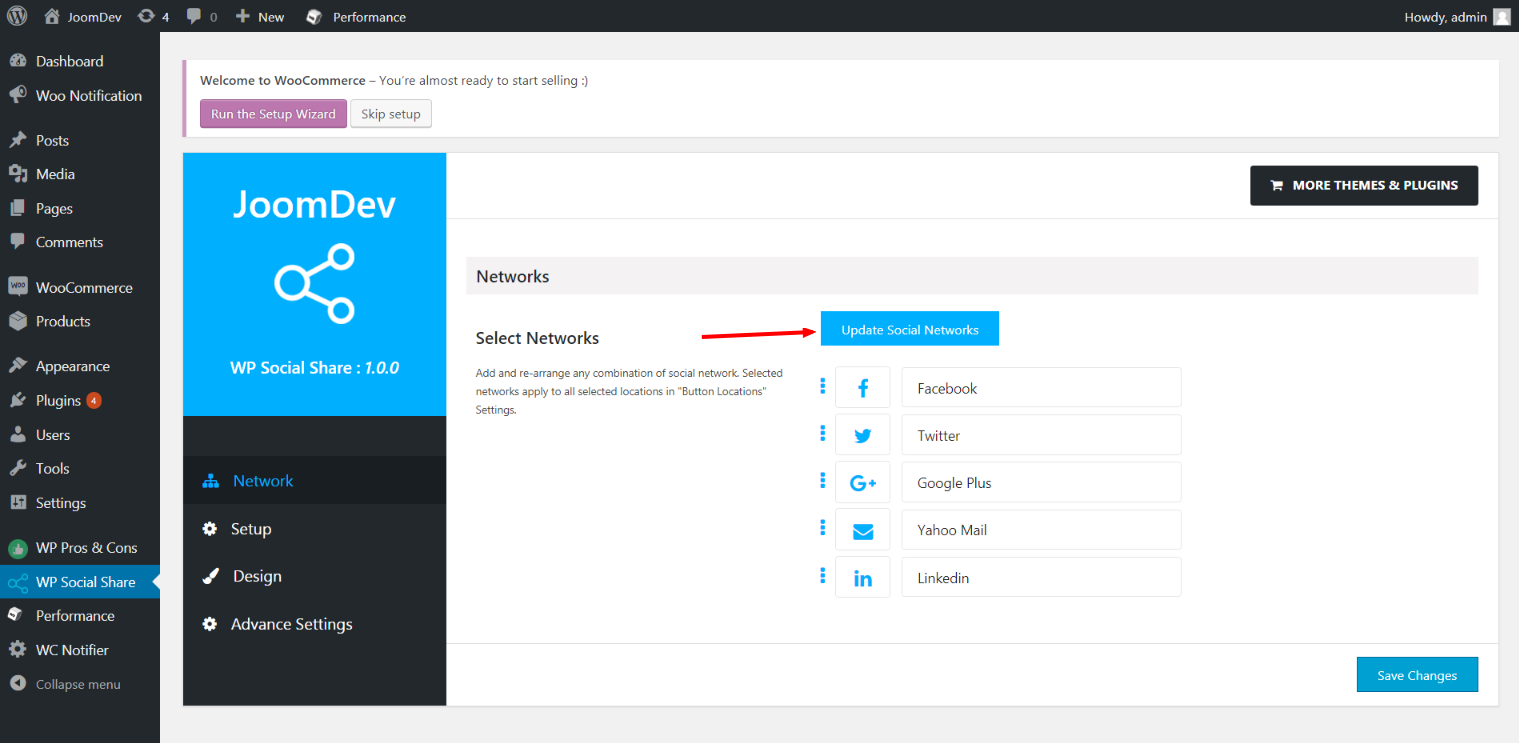
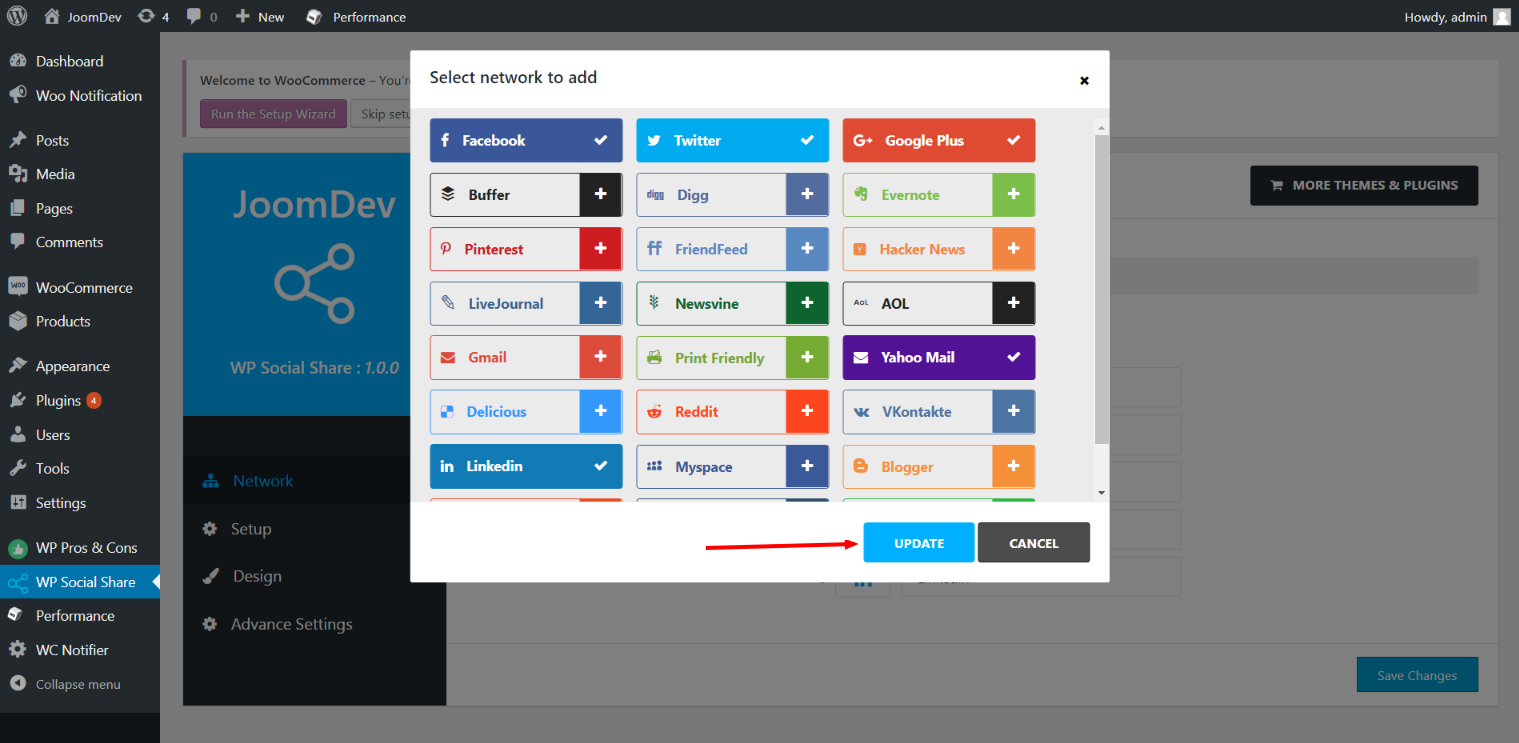
Click here to select networks
Update networks after selecting them.
Setup plugin and api settings.
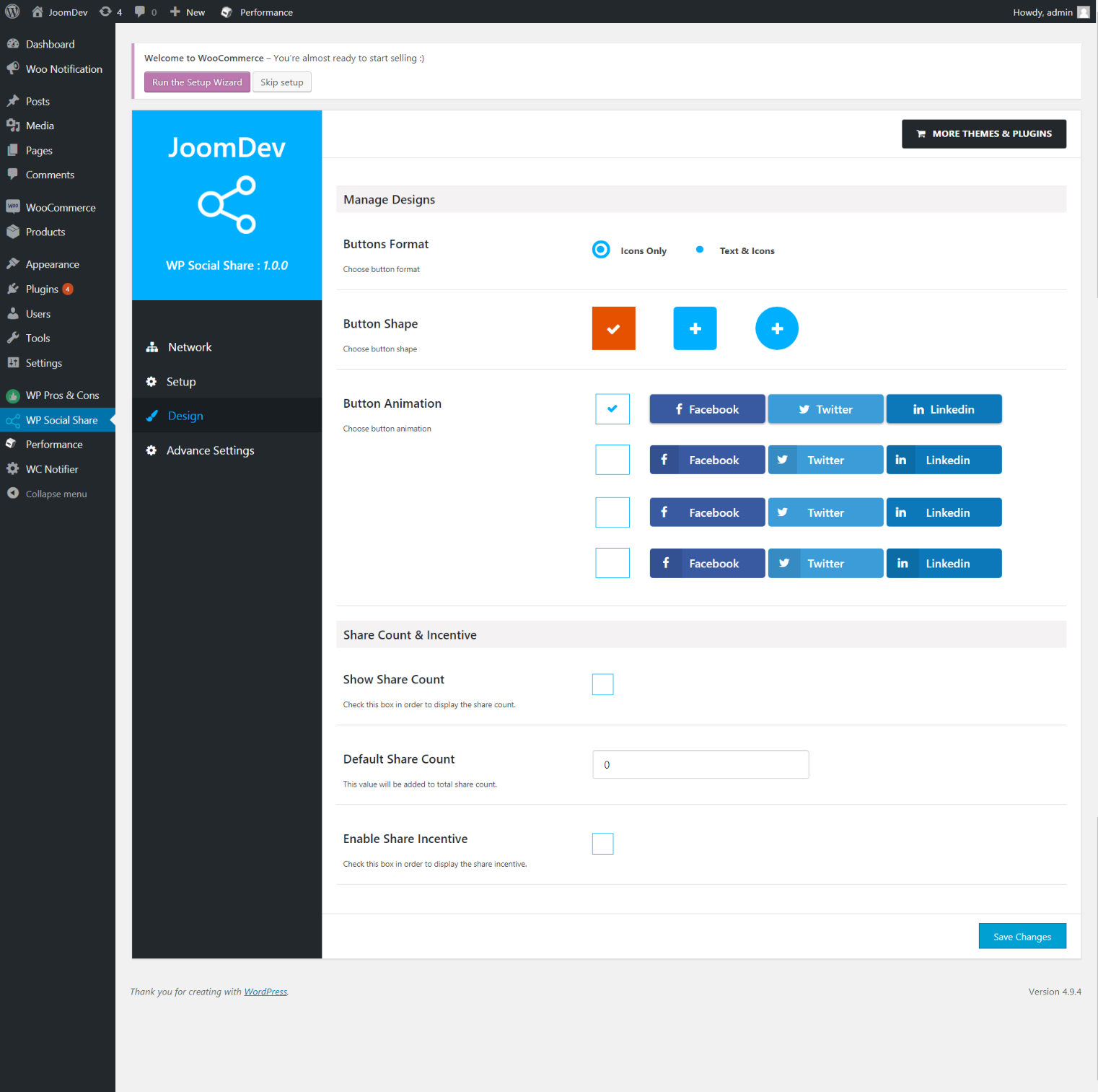
Select any design to display the buttons.
For mobile
For mobile

Installasjon

Way 1: 1. Upload joomdev-wp-social-share.zip to the /wp-content/plugins/ directory 2. Extract the zip file. 3. Activate the plugin from wordpress plugins page. And you have done.

Way 2: 1. Go to plugins page in admin. 2. Click on Add New button. 3. Search for «WP ShareX». 4. Click install on WP Social Share. 5. Activate the plugin.

Vanlege spm.

Installation Instructions

Way 1:
1. Upload joomdev-wp-social-share.zip to the /wp-content/plugins/ directory
2. Extract the zip file.
3. Activate the plugin from wordpress plugins page. And you have done.

Way 2:
1. Go to plugins page in admin.
2. Click on Add New button.
3. Search for «WP ShareX».
4. Click install on WP Social Share.
5. Activate the plugin.

How do I use this plugin?

See description.

Omtalar

Excellent!

Arnab Mohapatra 16. mars 2018 1 reply
Incredible plugin. It allows to add any sharing button on the page simply and fast!
Les 1 omtale

Bidragsytarar og utviklarar

“WP ShareX” is open source software. The following people have contributed to this plugin.

Contributors
  • joomdev

Omset “WP ShareX” til ditt eige språk.

Interested in development?

Les kjeldekoden, sjekk SVN-lageret eller abonner på utviklingsloggen med RSS.

Endringslogg

1.0.0

  • New Plugin initialized.

Om

  • Version 1.0.0
  • Last updated 8 år sidan
  • Active installations 10+
  • WordPress version 3.0 eller nyare
  • Tested up to 4.9.29
  • Language
    English (US)
  • Tags
    sharesocialsocial share
  • Avansert vising

Vurderingar

5 out of 5 stars.
  • 1 5-star review 5 stars 1
  • 0 4-star reviews 4 stars 0
  • 0 3-star reviews 3 stars 0
  • 0 2-star reviews 2 stars 0
  • 0 1-star reviews 1 star 0

Your review

See all reviews

Contributors

  • joomdev

Hjelp

Har du noko å seia? Treng du hjelp?

Sjå hjelpeforumet

Donate

Would you like to support the advancement of this plugin?

Donate to this plugin

  • About
  • News
  • Hosting
  • Privacy
  • Showcase
  • Themes
  • Plugins
  • Patterns
  • Learn
  • Support
  • Developers
  • WordPress.tv ↗
  • Get Involved
  • Events
  • Donate ↗
  • Five for the Future
  • WordPress.com ↗
  • Matt ↗
  • bbPress ↗
  • BuddyPress ↗
WordPress.org
WordPress.org

Norsk (Nynorsk)

  • Visit our X (formerly Twitter) account
  • Visit our Bluesky account
  • Visit our Mastodon account
  • Visit our Threads account
  • Visit our Facebook page
  • Visit our Instagram account
  • Visit our LinkedIn account
  • Visit our TikTok account
  • Visit our YouTube channel
  • Visit our Tumblr account
Kode er poesi.
The WordPress® trademark is the intellectual property of the WordPress Foundation.