

Skildring
This plugin makes the URL for the search results page look like https://site.com/search/keyword.
Credit/Inspired by: Nice Search
Skjermbilete
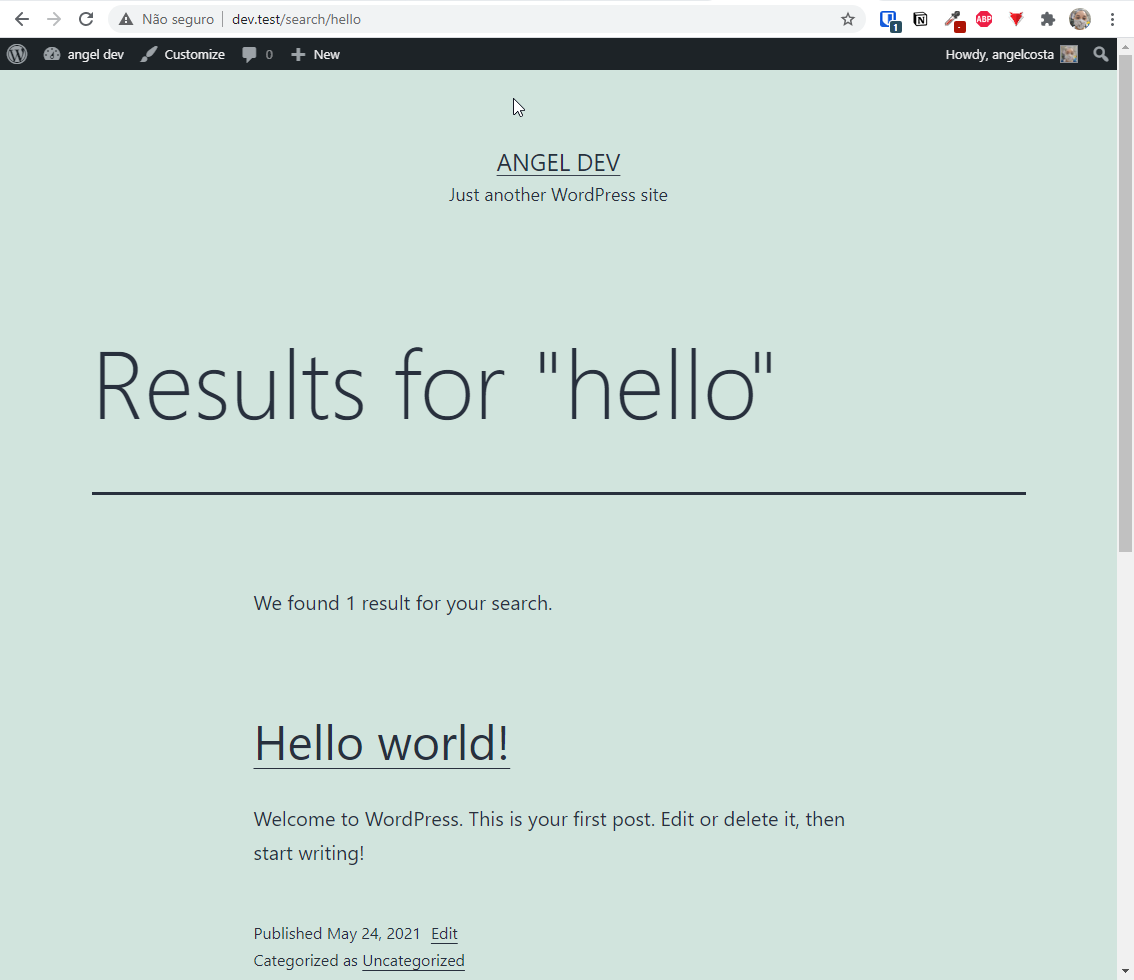
This is how your URL will look 
This is how you change your search base
Installasjon
Upload the plugin through your WordPress dashboard and activate it. And if you want to change the search base, go to your Permalinks page and enter the one you want.
Vanlege spm.
-
I want to change the word «search» in the permalinks. How do I do that?
-
Go to your WordPress’s Admin Dashboard and click on Permalinks under Configuration. In the Optional section you can change your search base to whatever you want.
Omtalar

30. mai 2019
Working perfectly.

3. september 2016
Lovely plugin, simple and perfect.
Five stars for sure!
Many thanks to the developer.

3. september 2016
With all the fuss about «pretty permalinks» in WordPress for so many years I find it surprising that WordPress is still withholding from its users an option to set a custom permalink/slug for the search results page.
There are quite a number of plugins around which — at least — do away with the ugly /?s=search+terms. But the ones I’ve seen so far do not do the one thing I’m sure everybody has been expecting to see as a WordPress core feature for years, and that is to offer an option on the Permalinks Settings page so that everyone is not stuck with the hardcoded /search/ as only choice.
Luckily this is now a thing of the past. After installing and activating WP SEO Search, you can now set your own search results base (slug) on the Permalinks Settings page.
Many thanks to Angelica Costa for taking this long awaited extra step!
P.S.: Regarding WP Multisite – The plugin can be activated network wide. Setting a custom search base can be/needs to be done per site. Currently the standard slug is /search/, regardless of the language in use.
Bidragsytarar og utviklarar
“Pretty Search Permalinks” is open source software. The following people have contributed to this plugin.
Contributors
Omset “Pretty Search Permalinks” til ditt eige språk.
Interested in development?
Les kjeldekoden, sjekk SVN-lageret eller abonner på utviklingsloggen med RSS.
Endringslogg
1.3
- Updates in localization
- Minor compliance issues solved
1.2
- Updating requirements
- Code optimization
- Compatibility with WordPress 6.9
1.1
- Updating requirements
- Compatibility with WordPress 6.8
1.0
- Cleaner code
- Compatibility with WP 5.7.2
- Added link to configuration in plugin list
- Fixed correct URL for my website
0.2.1
- Added i18n code. Plugin is now translation-ready.
- Added German translation.
0.2
- Added field in Permalinks» page
0.1
- Første utgåve.