
Skildring
No API key needed to use google maps, use direct iframe method.
This plugin allows to use the shortcode ([map-coordinate]), custom Elementor widget or a Gutenberg block to display Google Maps with Latitude & Longitude. There is also an admin menu to add Latitude & Longitude globally for all Gutenberg blocks and shortcodes.
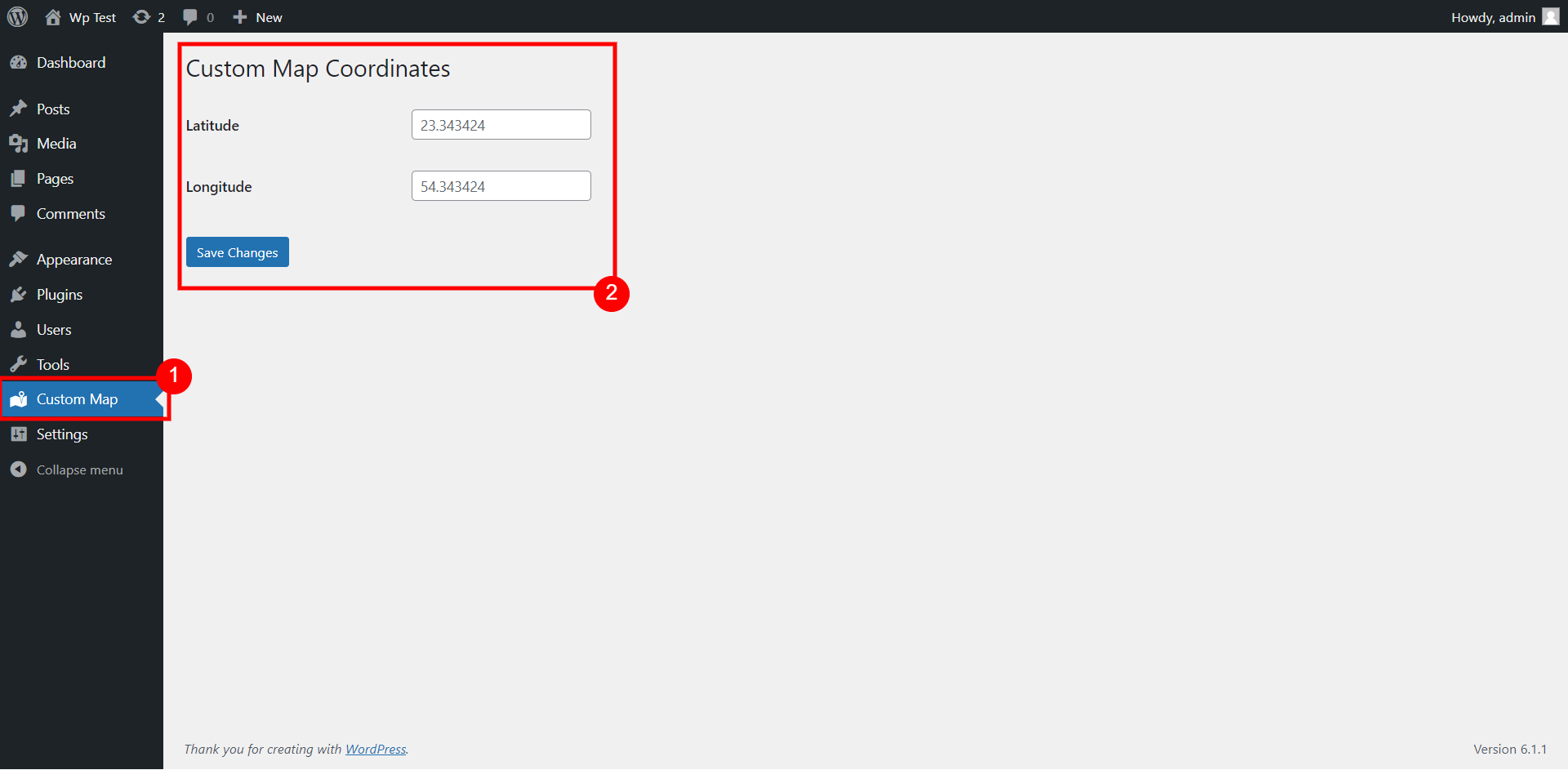
You can add the coordinates globally for the map to use from admin menu (Custom Map) as shown on screenshot #1.
The shortcode for the map to display is:
[map-coordinate]
You can also add different coordinates for each shortcode:
[map-coordinate lat="xx" lon="xx"]
If you are using Gutenberg editor for your posts, then you can also use the Gutenberg block – Custom Map Coordinates
Custom elementor widget is also available to use for Elementor page builder.
Skjermbilete
![Shortcode [map-coordinate] that uses default coordinates from admin menu](https://ps.w.org/custom-map-coord/assets/screenshot-2.png?rev=2870886)


Blokker
Denne utvidinga gjev 1 blokk.
- Custom Map Coordinates
Installasjon
This section describes how to install the plugin and get it working.
- Upload the plugin files to the
/wp-content/pluginsdirectory, or install the plugin through the WordPress plugins screen directly. - Activate the plugin through the «Plugins» screen in WordPress
- Use the «Custom Map» screen from admin menu to add coordinates globally for shortcodes & gutenberg block.
- Or you can use shortcode or gutenberg directly to add different coordinates in any posts.
Omtalar
There are no reviews for this plugin.
Bidragsytarar og utviklarar
“Coordinate for Google Map (No API Required)” is open source software. The following people have contributed to this plugin.
Contributors
Omset “Coordinate for Google Map (No API Required)” til ditt eige språk.
Interested in development?
Les kjeldekoden, sjekk SVN-lageret eller abonner på utviklingsloggen med RSS.
Endringslogg
- Elementor widget added in 1.1