

Skildring
SinglePlatform helps local business get discovered everywhere that matters online. With our official WordPress plugin, you can connect your website to our portal so that all of your updates automatically appear on your websites as well as across our expansive network of publishers. This plugin will create a dedicated menu page for your website. Save time with SinglePlatform today.
Skjermbilete
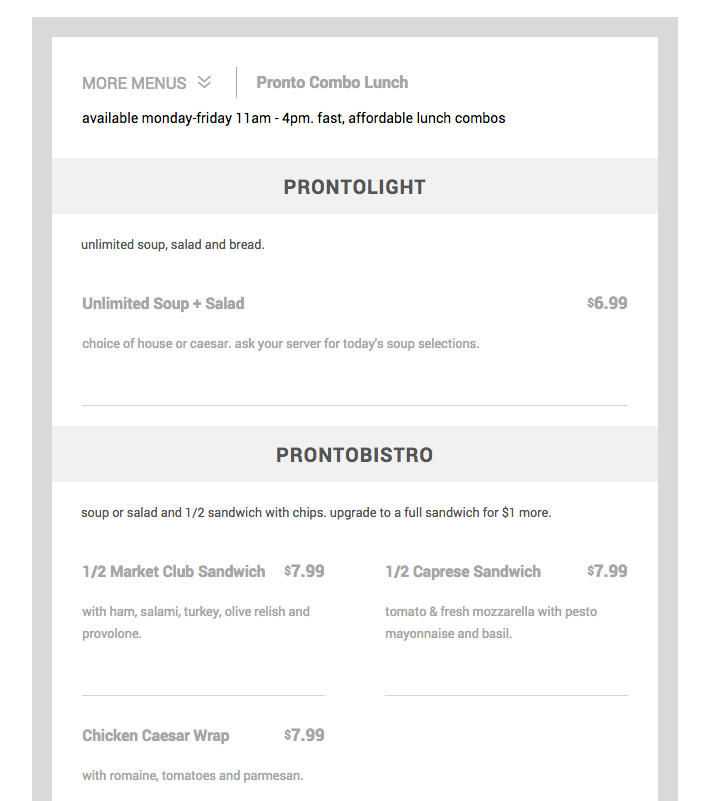
Menu Widget. Example of how your SinglePlatform menu can look on your website. 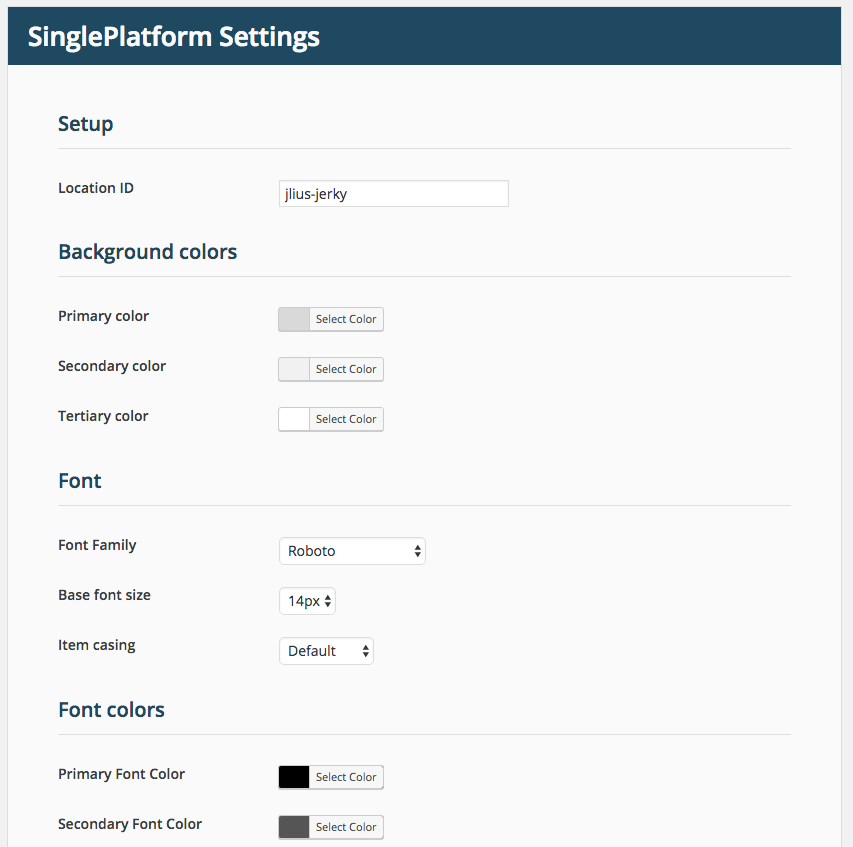
Settings screen. Customize Tweet and Timeline color schemes including background, text colors, and borders. Attribute site content to a Twitter account. Automatically include Tweet buttons alongside your post content.
Installasjon
- Click «Install Now».
- On the installed plugins page next to the SinglePlatform Plugin, click «Activate».
- A tab called SinglePlatform will be created in your sidebar, click there.
- Enter your Location ID. If you don’t have this ID, contact your account manager.
- Click on the Pages link in your sidebar. The SinglePlatform menu page will be listed as «Menu».
- Hover over the the «Menu» item and click «View» to see the published menu page.
- Alternatively, hover over the «Menu» item and click «Edit» to change the URL of the menu, or amend it with additional content.
Omtalar

2. mai 2019
Plugin works fine, but it would be far better if you could specify a menu in the shortcode. Seems like a rather simple update – and if the support page is any indication, this was requested over two years ago.
Bidragsytarar og utviklarar
“SinglePlatform” is open source software. The following people have contributed to this plugin.
Contributors


Omset “SinglePlatform” til ditt eige språk.
Interested in development?
Les kjeldekoden, sjekk SVN-lageret eller abonner på utviklingsloggen med RSS.