
Skildring
Thumblated Related Posts is a very simple plugin to use.. It shows related posts for the post user is reading. It also add the first picture in post as thumbnail beside the related post. This helps in increasing page views
It is good for internal link building and overall pagerank. It Lets you design the look of your related posts with thumbnails. It lets to write your own HTML and gives you access to some tags (link, title, image etc)
Skjermbilete

Showing related posts to visitors. 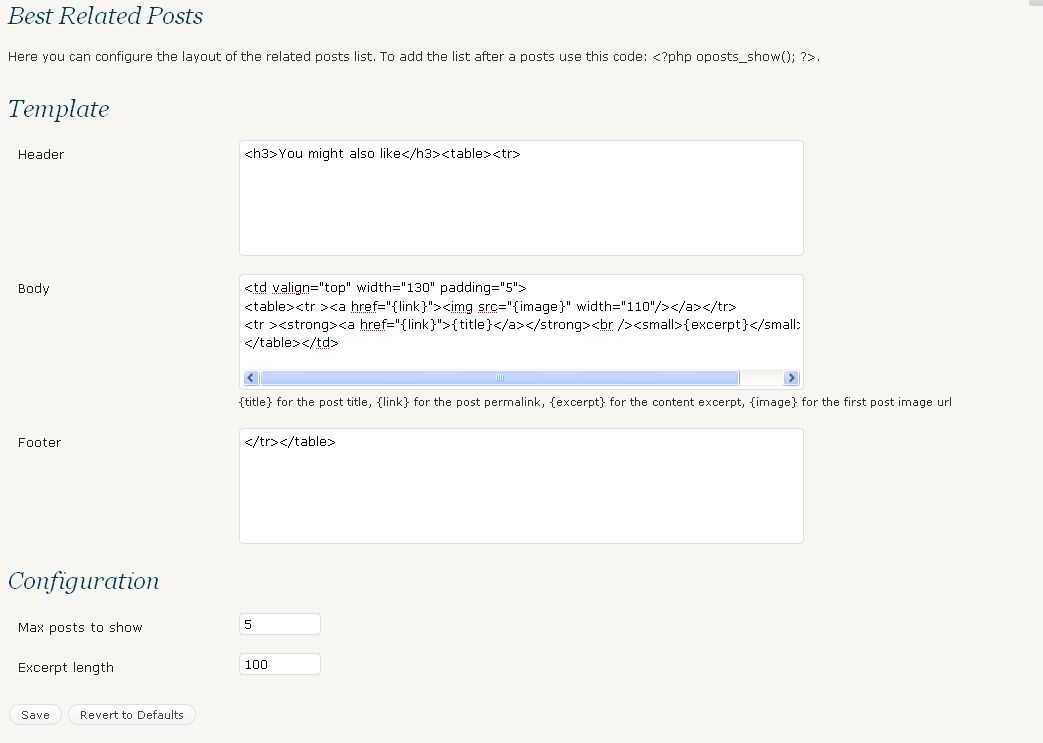
Plugin Options Page for Admin.
Installasjon
This section describes how to install the plugin and get it working.
- Upload all files contained in best-related-post.zip file to the
/wp-content/plugins/wp-thumblated-related-post/directory of your web server. - Activate the plugin through the «Plugins» menu in WordPress
-
To add the related post list, usually you have to open the single.php of your current theme and add the PHP code:
<?php boposts_show(); ?>
or can use Post Layout plugin and add such line of code in the single post bottom.
Vanlege spm.
- Do I have to create thumbnails for each post?
-
No, It takes first image of your post and displays it as thumbnail.
Omtalar
There are no reviews for this plugin.
Bidragsytarar og utviklarar
“Thumblated Related Post” is open source software. The following people have contributed to this plugin.
Contributors
Omset “Thumblated Related Post” til ditt eige språk.
Interested in development?
Les kjeldekoden, sjekk SVN-lageret eller abonner på utviklingsloggen med RSS.