

Skildring
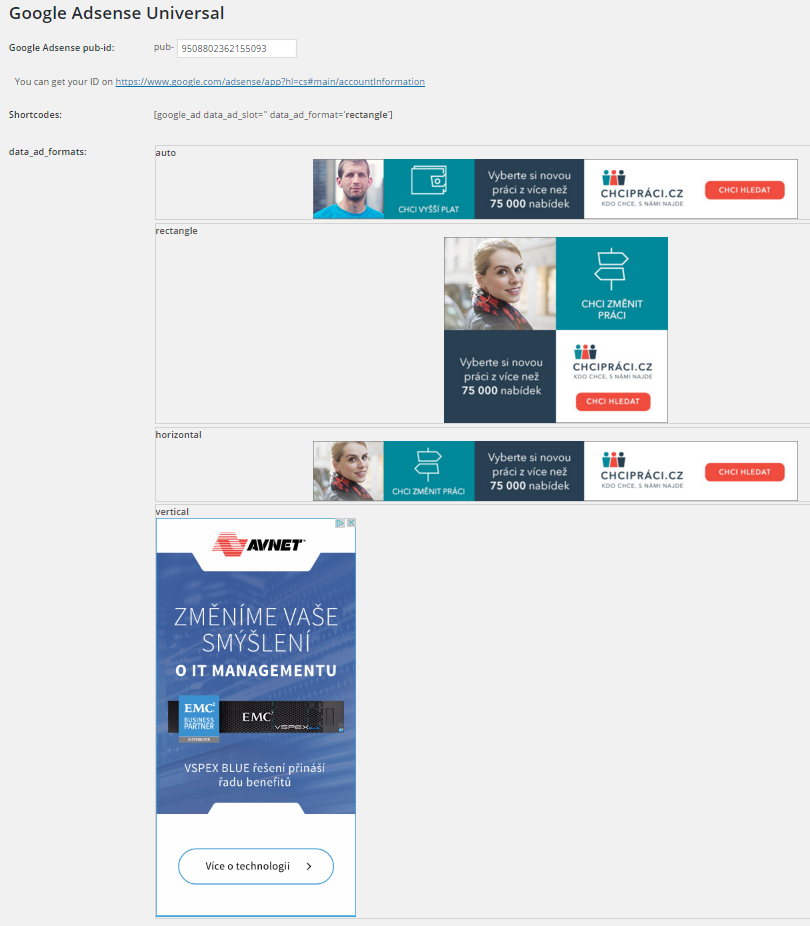
Insert Google Adsense into widget area and don´t worry about any settings. You can also insert a shortcode to your content and set ad format if you want.
Features:
-
Google Ads widget allow multiple ads on the page
-
Shortcode to insert your ad to content
-
No settings needed, just insert your pub-id and show your ads.
Shortcode:
[google_ad data_ad_slot='' data_ad_format='auto']
data_ad_slot:
-you can specify which exact ad you want to display
data_ad_format:
-auto
-rectangle
-horizontal
-vertical
Skjermbilete
Installasjon
- Upload
google_ads_universalfolder to the/wp-content/plugins/directory - Aktiver innstikket gjennom Innstikk-menyen i WordPress
- Go to settings and insert yout pub-id
Vanlege spm.
How can i set ads dimensions?
You can´t, Google will do it for you. This plugin do it for you as simple as possible.
Omtalar

Bidragsytarar og utviklarar
“Zedna Universal Ads” is open source software. The following people have contributed to this plugin.
Contributors
Omset “Zedna Universal Ads” til ditt eige språk.
Interested in development?
Les kjeldekoden, sjekk SVN-lageret eller abonner på utviklingsloggen med RSS.
Endringslogg
1.0
- First version