
Skildring
WP EasyCart is a powerful FREE WordPress eCommerce store & WordPress Shopping Cart plugin that installs into new or existing websites.
Get a fast WordPress eCommerce shopping cart store within minutes! Sell retail products, subscriptions, digital downloadable goods, gift cards, donations, services and more!
EasyCart is a full Stripe cart, Square cart, and PayPal cart in one! Use Stripe payments to sell subscription and recurring billing products as well as offer Apple Pay, Google Pay, and Microsoft Pay.
Sell your products on social media with our Facebook and Instagram premium extension. WP EasyCart makes it easy to sell on Facebook and Instagram with your WordPress cart.
WP EasyCart offers 30+ payment solutions that are SCA compliant (Stripe, Square, and PayPal Express) as well as GDPR compliant options. International ecommerce cart is no problem for EasyCart.
ecommerce shopping cart editions
WP EasyCart comes in 3 different shopping cart editions to cover every online store need.
FREE eCommerce Edition – Unlimited Products, Unlimited Orders, and sell with PayPal Express, Square, and Stripe.
Professional eCommerce Edition – No Fees, 30+ Additional Payment Gateways, Live Shipping Calculators, Coupons, Promotions, Order Editing, Digital Wallet Payments (Apple Pay & Google Pay), Subscription products, and More!
Premium eCommerce Edition – Everything in the Professional Edition plus apps for Desktop, Tablet, iPhone, and Android plus 10+ Premium Extensions! Facebook & Instragram, ShipStation, Stamps.com, Quickbooks for Desktops, and others!
popular links
- WP EasyCart website
- What’s in the Professional Edition?
- What’s in the Premium Edition?
- Online eCommerce Demos and Themes
- Need Online Support?
- Compare eCommerce Editions
- Compare Competition Shopping Carts
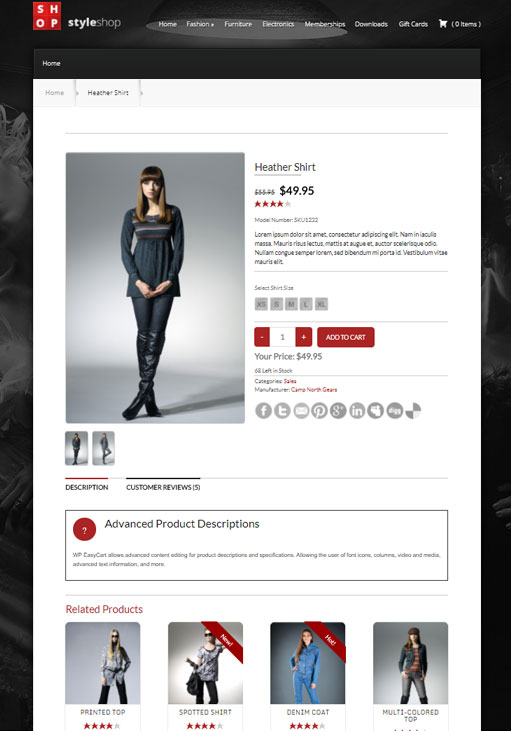
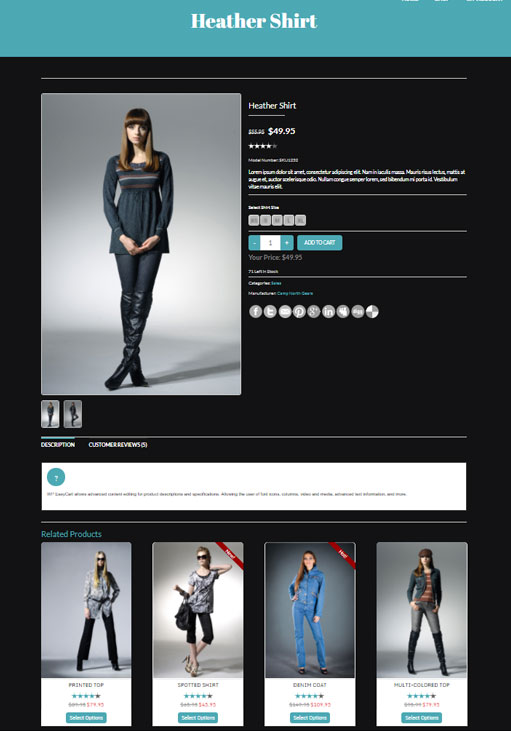
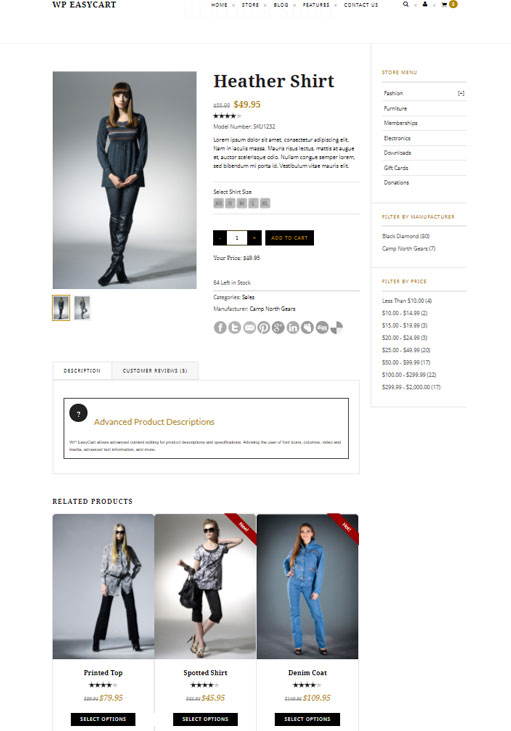
ecommerce store for every theme
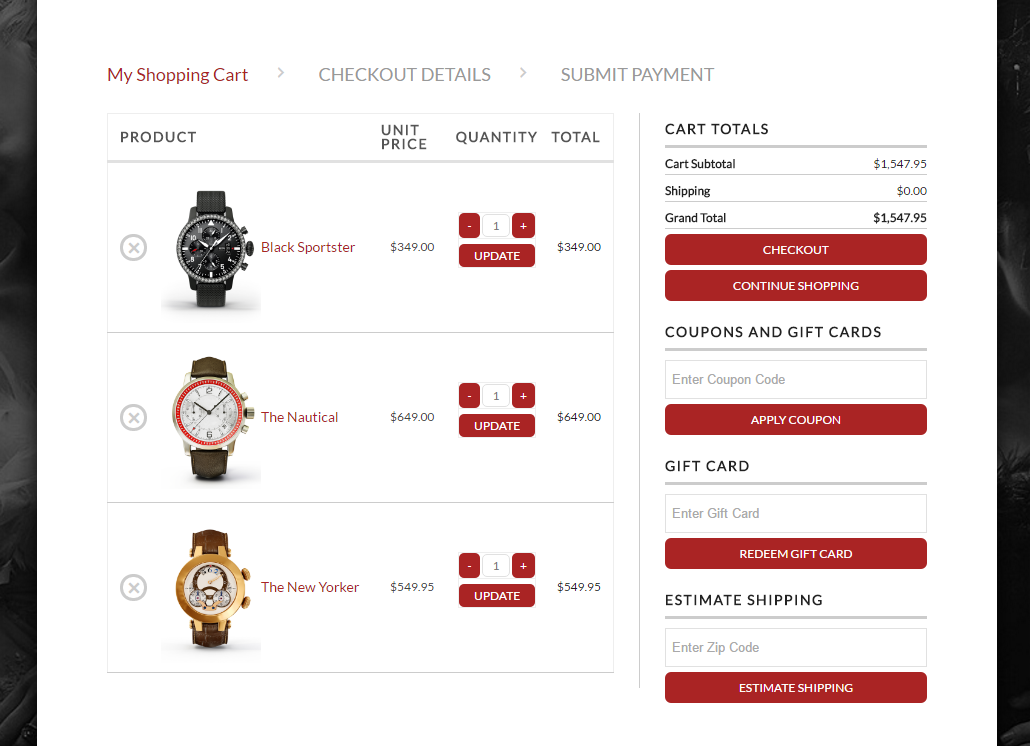
The WordPress Shopping Cart plugin will automatically create 3 new pages in WordPress for the store, cart and account. Customize with all our basic design features, utilize multi-currency & multi-language features, even add one of our dozen widgets to a sidebar to help you start selling your products.
WP EasyCart is a full Stripe cart, Square cart, and PayPal cart in one system. The shopping cart allows you to utilize Stripe, Square, and PayPal payments all in one cart.
Go FREE or Go PRO/Premium
WP EasyCart is a FREE eCommerce plugin that lets you sell unlimited products, manage orders, create basic shipping & taxes, and collect payments using PayPal Express as well Square or Stripe within your cart!
Upgrade to the Professional or Premium shopping cart and unlock order editing, subscriptions, recurring payments, membership content, Apple Pay, Google Pay, Microsoft Pay, 30+ additional payment processors, coupons, promotions and other awesome features.
With the Premium edition cart, you get all the great features of a Professional edition, plus access to 10+ extensions.
* Facebook & Instragram Feed
* ShipStation
* Quickbooks for Desktops
* Stamps.com
* Groupon importer
* And many more…
Premium edition users can also use our external apps for PC/Mac computers, iPad/Android tablets, and iPhone/Android phones. Not only can you sell with mobile ecommerce, but you can manage your store on mobile devices.
Compare all shopping cart store editions: Compare Shopping Cart Editions
Payment Options
WP EasyCart’s FREE shopping cart edition comes with PayPal Express, Square, and Stripe to collect payment from nearly any country in the world securely and quickly.
The Professional & Premium editions come with 30+ live payment processors such as Square, Stripe, Authorize.net, FirstData, Payment Express, PayPal Pro, Intuit, and many others.
Professional & Premium users can use the Stripe payment system’s extensive payment system which offers subscriptions, Digital Wallet Payments, Apple Pay, Google Pay, Microsoft Pay, and some of the best fraud protection tools in the industry.
Unlock ALL the payment gateways we offer in either of these popular editions. View a complete list of all free and paid edition payment gateways: View All Payment Gateways Here
Shipping & Taxes
WP EasyCart’s FREE shopping cart edition comes with extensive table rate shipping for price, weight, quantity and percentage based systems. Setup standard taxes based on states/provinces & countries.
The Professional & Premium shopping cart editions include all our live shipping integrations with USPS, UPS, FedEx, DHL, Canada Post, and Australia Post. For taxes, you can utilize TaxCloud API for accurate city by city tax rates.
Compare all shopping cart store editions: Compare Shopping Cart Editions
Order Management
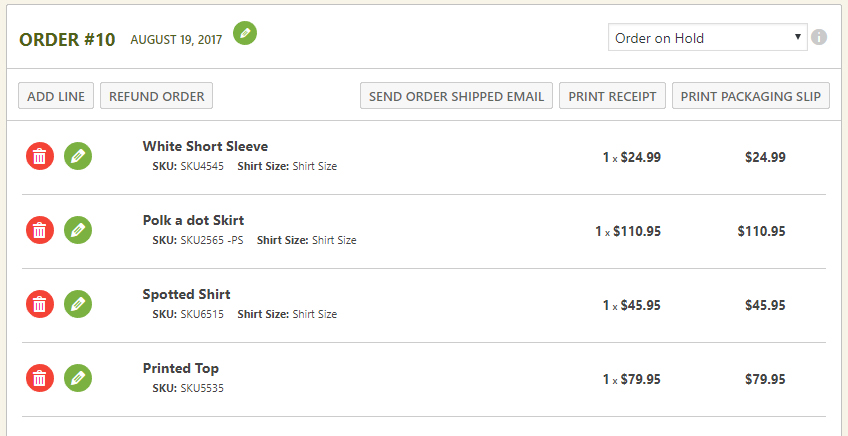
WP EasyCart’s FREE shopping cart edition lets you manage orders from within WordPress. Print sales receipts & packing slips, add shipping notes, email customers, and view order information in one easy location.
The Professional & Premium shopping cart editions allow you to edit line items, add new line items, and edit all the customers order data for a complete business solution.
Compare all shopping cart store editions: Compare Shopping Cart Editions
Marketing
All EasyCart eCommerce plugins come with SEO editing for every product, menu and category you create to help selling your goods. Social sharing also lets your visitors immediately link to products that you sell.
With the Professional & Premium editions, you unlock all the eCommerce marketing options available in EasyCart; including coupons, promotions, gift cards, and abandoned cart systems.
Connect your store with Facebook and Instagram with our Premium extension. Manage feed info and automatically push latest stock and product information to Facebook and Instagram hourly, daily, or weekly.
Compare all shopping cart store editions: Compare Shopping Cart Editions
How to get started with the eCommerce plugin?
Simply install the WordPress Shopping Cart plugin, activate, and walk through the settings to get your cart up and running.. Configure your cart to use PayPal Express, Square, or Stripe for a quick and easy way to get your eCommerce platform running and sell your items quickly.
Unlock your WordPress shopping cart when you are ready with more powerful features by visting WP EasyCart.
Compare all shopping cart store editions: Compare Shopping Cart Editions
We have a full eCommerce support center at WP EasyCart including an online users manual, video tutorials, and community forums.
Watch our Installation Video
Our popular eCommerce shopping cart videos series:
- Video 1: Installing WP EasyCart
- Video 2: Install 14 day PRO trial!
- Video 3: Creating your First Product
- Video 4: Creating a Product Option
- Video 5: Creating Product Categories
- Video 6: Basic Design Customization
- Video 7: Setting up Payment Gateway
- Video 8: Setting up Taxes
- Video 9: Setting up Shipping
- Video 10: Testing and Launching your Site
More videos can be found in our Video Library!
Skjermbilete



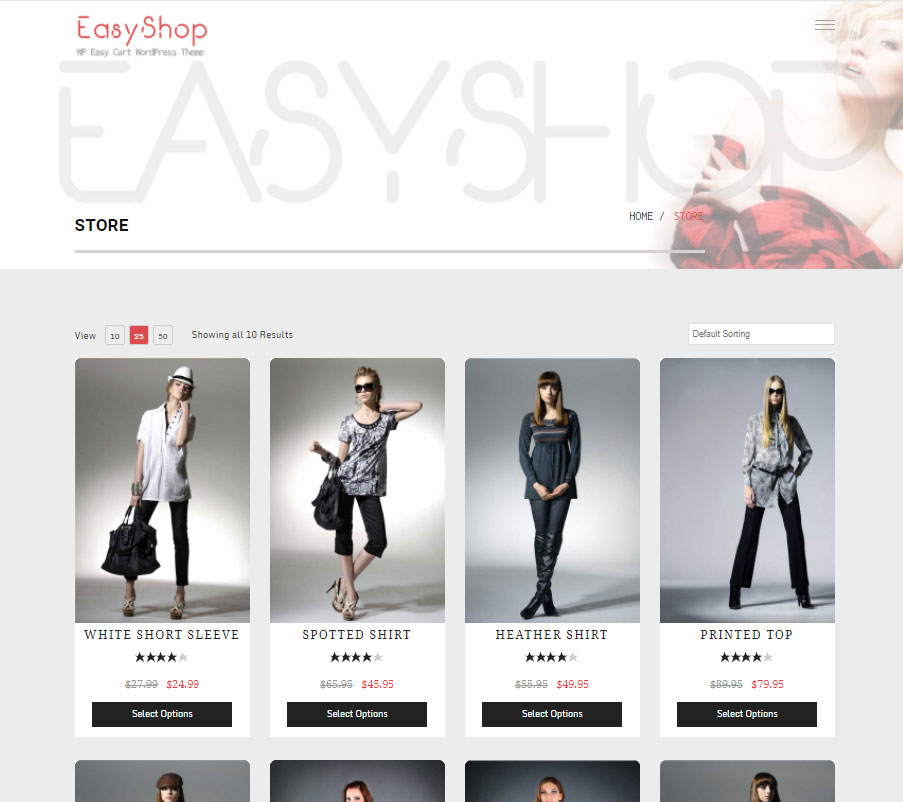
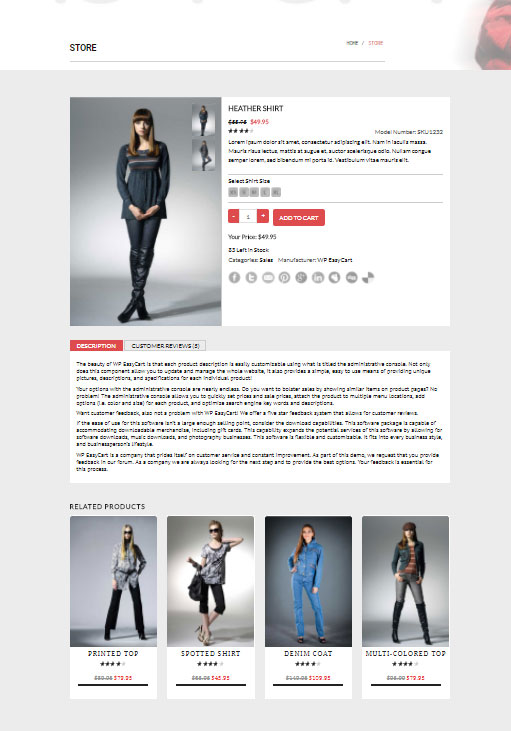
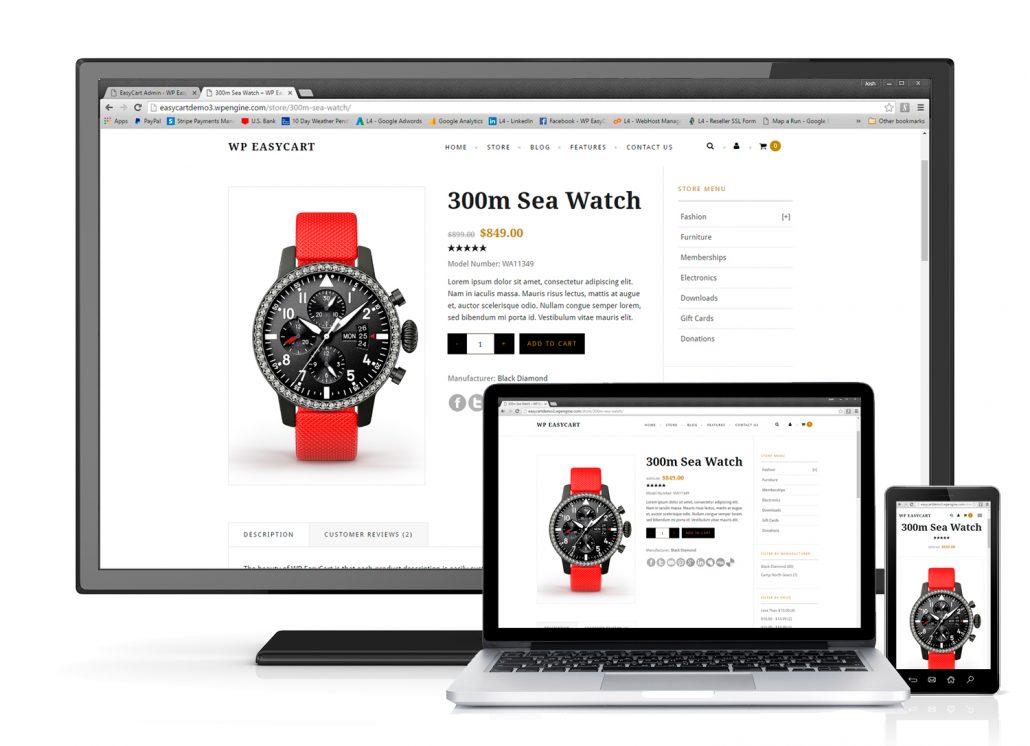
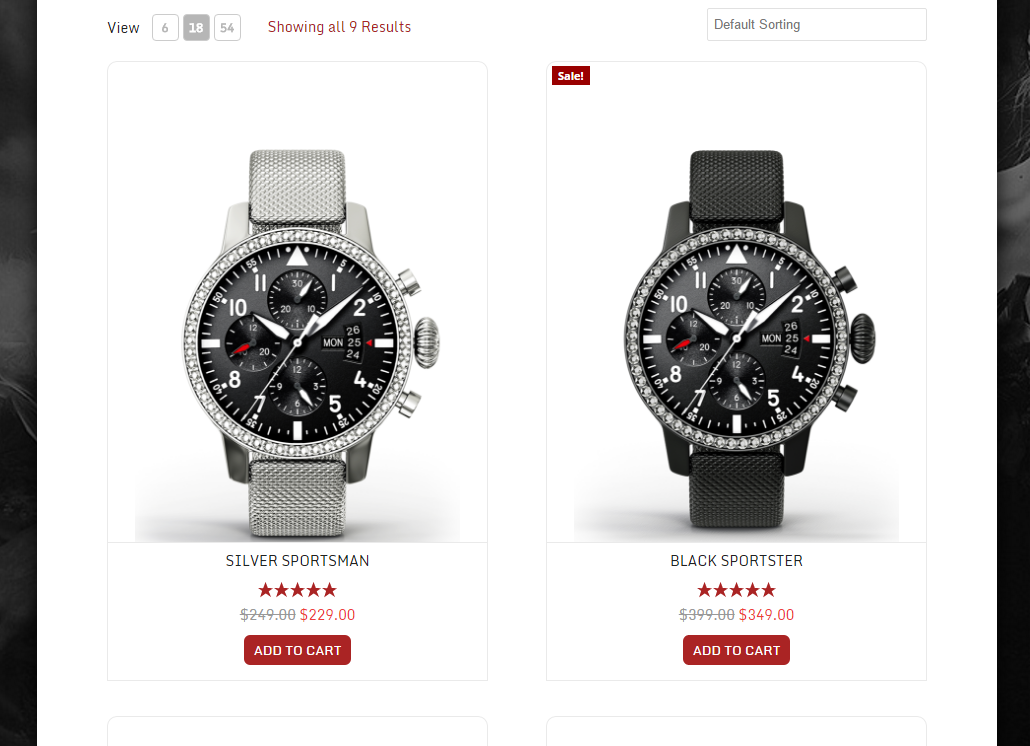
Blokker
Denne utvidinga gjev 1 blokk.
- WP EasyCart
Installasjon
Install a full WordPress Shopping Cart & eCommerce plugin in less than 5 minutes! Harness the most powerful Stripe cart, Square cart, & PayPal cart for WordPress in a few easy steps!
Install and Activate the WordPress Shopping Cart plugin. Just log into your wordpress admin, visit plugins -> add new and search for «EasyCart».
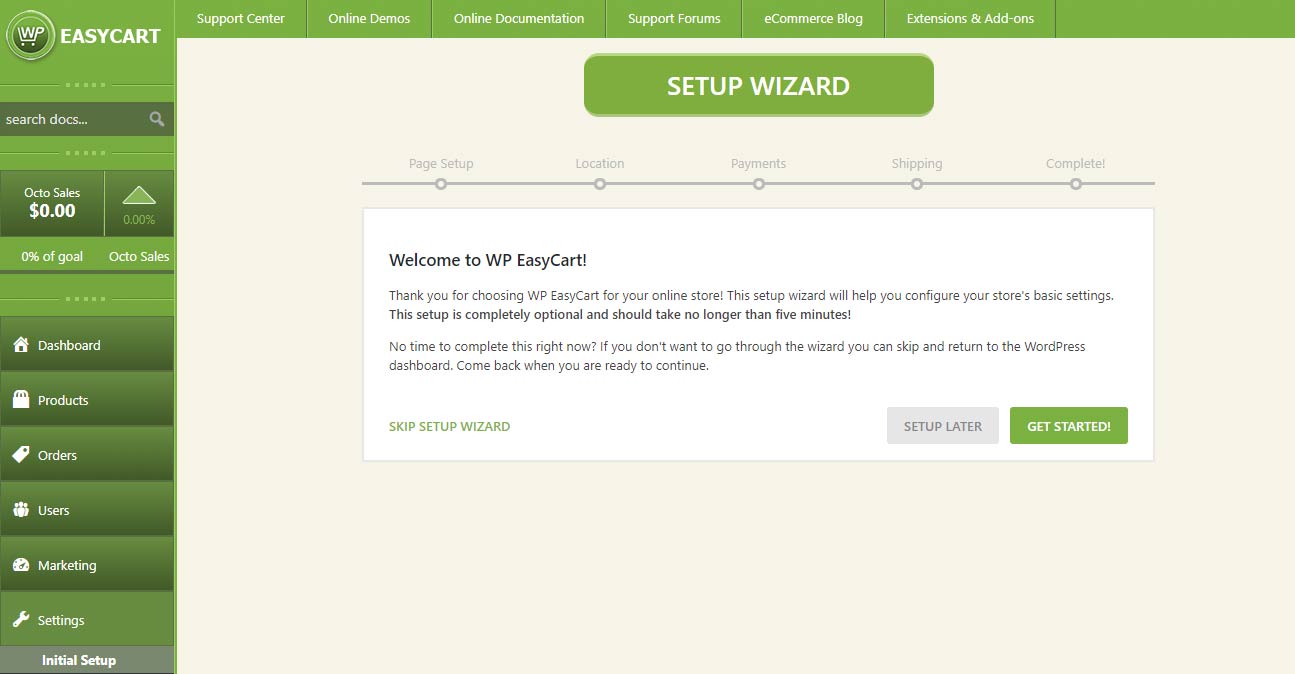
Once you Install and Activate, we recommend you walk through our simple 5 step wizard to setup the intial pages, payment, taxes, and shipping. It only takes 1 minute and you can always change these settings via the WP EasyCart -> settings page.
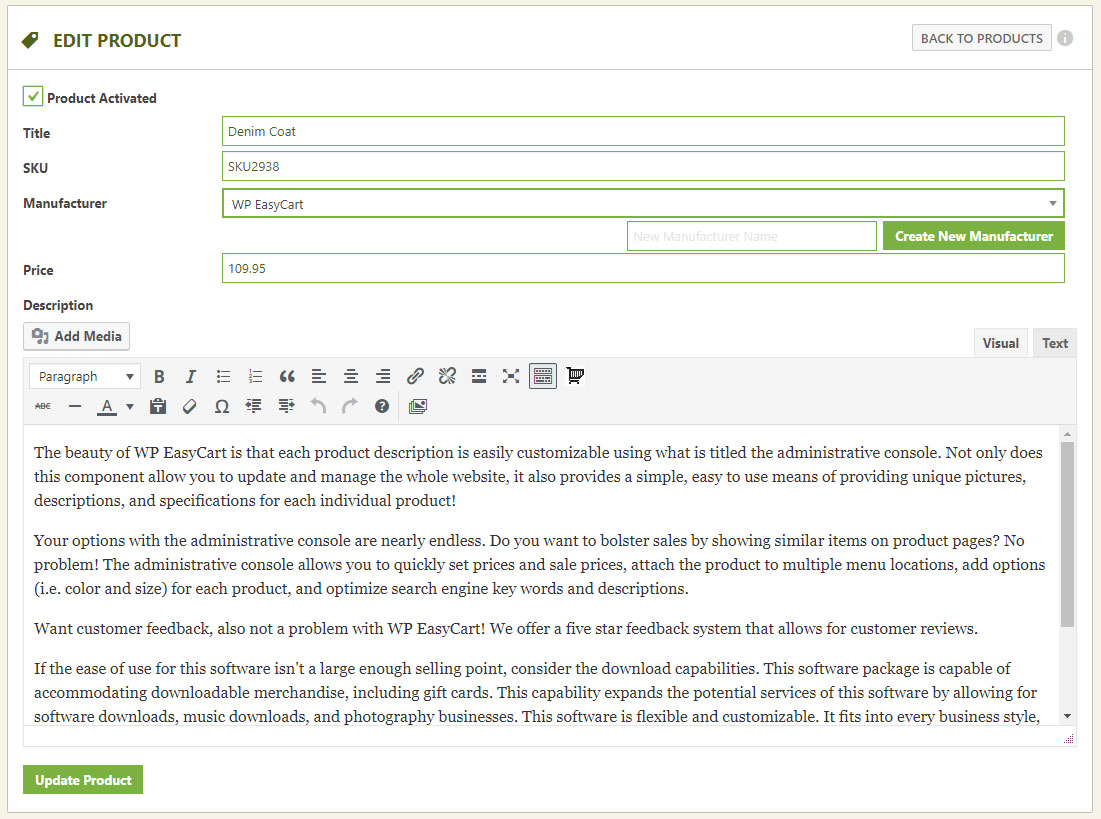
Start adding your store products using the products menu!
Watch our Installation Video
Popular eCommerce shopping cart installation videos
- Video 1: Installing WP EasyCart
- Video 2: Install 14 day PRO trial!
- Video 3: Creating your First Product
- Video 4: Creating a Product Option
- Video 5: Creating Product Categories
- Video 6: Basic Design Customization
- Video 7: Setting up Payment Gateway
- Video 8: Setting up Taxes
- Video 9: Setting up Shipping
- Video 10: Testing and Launching your Site
More videos can be found in our Video Library!
Installation Documentation
Users will love our full online documentation and free resources include online help documentation, full video tutorial library, and a community forum and knowledge base. Premium and Professional users will love the extra suppor they purchase with a license and one-on-one technical support with our 5 star tech team. JUST READ OUR REVIEWS!
Online Documentation: WP EasyCart Documentation Online Video Tutorials: WP EasyCart Video Tutorials Online Forums: WP EasyCart Forums Need Technical Support? Compare Professional & Premium Pricing
Vanlege spm.
-
Where can I get documentation or shopping cart demos?
-
We offer a full service website with online documentation, video tutorials, community support forums as well as demonstration sites running our various templates at WP EasyCart .
-
Can I use your eCommerce software to display, but not sell products?
-
Absolutely! If you do not need to sell anything, but would like to leverage our software to display products, please feel free to do just that! You can just put the store into catalog mode and it removes the ability to add to cart the products.
-
Can I sell my products on Facebook & Instagram?
-
Yes! With our Premium edition, you can use our Facebook & Instagram feed to publish your products into a Facebook Catalog. This lets you setup a catalog of products on Facebook, create compelling carousal ads across social media, and more!
-
The FREE version comes right here on WordPress and offers limited features for you including the abiliyt to have a PayPal cart, Square cart, Stripe cart, manual payments, unlimited products, product variations, order management, and so much more. Features such as coupons, live shipping rates, promotions, order editing, 30+ gateways, live shipping carriers, and many more are not included in the FREE version. Upgrading to Professional or Premium will unlock ALL core features and gets you updates and support for a year. Upgrading to Premium will get you everything in Professional cart plus access to our 10+ extensions and iPad, Android, and Desktop applications.
-
Facebook & Instagram allows you to sell across social media. Quickbooks offers automated syncing down to your desktop quickbooks version. ShipStation offers order syncing for easy shipping management, labels, and email tracking. Stamps.com allows buying and paying for postage. Groupon, extra tabs, mandrill email, optimal logistics, affiliate WP Rates, and Bluecheck offer a variety of third party integration extensions that you get as part of our premium edition. Visit our website for full Premium benefits, including our mobile apps and push notification systems.
-
How does an eCommerce license work with your software?
-
The FREE plugin is the full WordPress eCommerce shopping cart software version; however, the PRO and administrative software that is downloaded from our website is licensed software. The PRO software will add all core features and the Premium version will allow access to our administrative software, apps, and extensions. You may continue to run the FREE WordPress plugin, but must purchase a license to use our PRO or administrative software.
Each license is good for one website URL or WordPress installation. You may transfer a license from a development environment to a production environment at any time; it is your license once you purchase one.
Licensing gives you features such as coupons, promotions, live shipping rate calculators and more. Plus you will receive support from our staff individually rather than through our community open support systems. For more information on licensing, you can view our website. -
Do I have to pay monthly?
-
No, there are no monthly fees to pay with EasyCart. WP EasyCart allows you to utilize the plugin on one WordPress website for 12 months with upgrades and support. The Free edition has 2% EasyCart fees per transaction. The professional/premium edition have 0% EasyCart fees per transaction. *Normal payment processing fees always apply.
-
Will it work in my Theme?
-
Yes! EasyCart works on 3 WordPress pages, which are automatically created on installation. Our installer walks you through the steps quickly and if you have any theme issues, your theme developer or our staff can assist.
-
What Ecommerce payment gateways do you have?
-
We offer over 30 different gateways. Popular ones include Square, SquareUp, PayPal Standard, PayPal Pro, PayPal Payflow, Authorize.net, Stripe.com, FirstData, eWay, Payment Express, Sagepay, 2Checkout, Dwolla, Nets Nexaxept, Payfort, Realex, Redsys, Skrill, beanstream, braintree, Chronopay, Virtual merchant, Geomerchant, intuit, MIGS, Moneris Canada, Moneris US, NMI, Payline, Paypoint, Secure Pay, WorldPay and others. Check our documentation for a full up to date listing.
-
Where do I report security bugs found in this plugin?
-
Please report security bugs found in the source code of the WP EasyCart plugin through the Patchstack Vulnerability Disclosure Program. The Patchstack team will assist you with verification, CVE assignment, and notify the developers of this plugin.
Omtalar


Bidragsytarar og utviklarar
“Shopping Cart & eCommerce Store” is open source software. The following people have contributed to this plugin.
Contributors

“Shopping Cart & eCommerce Store” er omsett til 3 språk. Takk til omsetjarane for bidraga deira.
Omset “Shopping Cart & eCommerce Store” til ditt eige språk.
Interested in development?
Les kjeldekoden, sjekk SVN-lageret eller abonner på utviklingsloggen med RSS.
Endringslogg
6.0.0
- New Feature – Settings redesigned: a Settings home with search across every setting, pages organized into sections with a jump list and clearer wording throughout.
- New Feature – Flex-Fees: a percentage fee can now be calculated on the order total (subtotal + shipping + tax – discounts) instead of the subtotal only, so a card-processing fee such as 2.9% covers the whole charged amount.
- New Feature – Customer file uploads (file upload option) can now be downloaded by staff from the admin order email and the order details screen through a secure link that requires a logged-in administrator or order manager.
- New Feature – Per Page Options: one page size can be starred as the default; the storefront starts shoppers on it.
- New Feature – Customer file upload links in the admin order email can optionally work without signing in, using an expiring private link (Settings › Email › Order emails), with a one-click option to revoke all links already sent.
- New Feature – Text and text area options can now force UPPERCASE, lowercase or Title Case, limit input to letters, letters and spaces, numbers, or letters and numbers, and show placeholder text; rules apply while typing and again when the item is added to the cart.
- New Feature – Email deliverability: send a test email from the Deliverability panel; the result is shown on screen and recorded in the email log.
- New Feature – PDF invoice or receipt to customer and admin order emails (Settings > Email > PDF receipts), with your business details, a file name pattern and A4 or Letter paper, to help meet EU invoicing requirements. Includes an «Email me a sample PDF» button.
- New Feature – Manage offers, coupons and promotions that apply to the product, with status, uses, orders and revenue from the product details.
- New Feature – Stock history on Inventory & Shipping, with the change, reason, resulting quantity and who made it; managed from the product details.
- New Feature – Edit the Yoast SEO title, meta description, focus keyphrase, canonical URL and search visibility from the SEO tab when Yoast SEO is active, directly from the product details.
- New Feature – Price filter in the store sidebar: turn on Settings > Products > Store sidebar > Price filter (or «Enable Sidebar Price Filter» on the Elementor Store element) to list your price ranges with product counts.
- New Feature – File upload options can now limit which file types shoppers may upload (images, documents, design files such as PSD/AI/EPS, archives), with the accepted types shown next to the upload field.
- New Feature – Download the order’s PDF receipt from the order actions menu when PDF receipts are enabled.
- New Feature – Product Details: Quick filters on the Offers tab (All, Live, Targets, Used) with counts.
- New Feature – Product Details: Orders using an offer list with search, offer and date filters, and paging.
- New Feature – Inventory: «Send now» in the Alerts box sends the low stock digest immediately as a test, without changing the schedule.
- New Feature – Settings > Email can now send you each subscription email (trial started, trial ending, renewal coming up, subscription ended, payment failed) as a test, built from a real subscription when you have one.
- New Feature – Settings > Email now shows the retry queue: what is waiting, how many attempts it has had, when the next attempt is, with «Send queue now» and per-email retry, plus a «Simulate a failed send» test that never touches customer mail.
- New Feature – Inquiry forms can now require the shopper to be signed in to a store account.
- New Feature – Refused inquiries are recorded under Settings > Log entries with the reason, a masked email address and no stored IP address.
- New Feature – Authorize.net now allows you to upgrade to the Accept.js version, which offers PCI compliance.
- Improvement – Inventory: import and export rebuilt. The export now carries Product ID and Variant ID, so variants that share a SKU can be updated; the import panel previews every row before applying in the background, logs each change to stock history, and explains rows it cannot match.
- Improvement – Add product panel: pricing, media, inventory & shipping and options are cards in the current admin design; option sets are chosen with search and shown as chips with a variant count.
- Improvement – Orders with nothing to ship (downloads, gift cards, subscriptions and services, or products with shipping disabled) removes the fulfill features.
- Improvement – Order details: the Fulfillment card was redesigned. The status strip no longer wraps a boxed Shipping Info panel with duplicate Edit links; shipping method, carrier and tracking number show as one summary with a single Edit, and new orders get a clear «No shipping details yet» prompt with an Add shipping details button.
- Improvement – Product editor: the Pricing & Tax tab now shows the product’s current price (and crossed-out Previous Price), updating as you type, with an Edit price button that jumps to the Price field on the General tab.
- Improvement – Countries & Regions: the country list now covers the full ISO 3166-1 set (250 countries) and default regions were added for Mexico, Spain, Germany, New Zealand and Ireland, with Brazil and India completed. Applies to new installs and to «Restore default countries & regions» only; existing stores are never changed.
- Improvement – Countries & Regions: saving a country or adding a region updates the list in place; the drawer closes on save.
- Improvement – Settings menu: «Countries» and «States/Territories» merged into one «Countries & Regions» link; old States bookmarks still open the combined screen.
- Improvement – Store details › Currency: a live price preview, one-click separator and decimal-place choices, currency code suggestions with a one-click «usual format» for common currencies, and exchange rates edited as a list instead of a comma-separated string.
- Improvement – Settings › Shipping rates: switch the shipping method right from the rates page, and the rate tables stay readable and editable on small screens.
- Improvement – Order statuses editor redesigned: compact color, name and paid controls in a grid, built-in and custom statuses grouped.
- Improvement – New stores that use Square or WooCommerce now see an «Import your products» item in the launch checklist, linking to the cart importer; Settings search also finds sections such as Cart importer.
- Improvement – Shipping zones collapse large place lists with expand/collapse controls.
- Improvement – Manage Downloads explains folder and permission problems and adds Create folder, Replace file, Choose existing file, Switch to Amazon S3 and Repair actions.
- Improvement – Email deliverability: step-by-step «How to fix» help for SPF, DKIM, DMARC and sender address checks, with ready-to-copy DNS records and where to add them; a new «Improve delivery in 3 steps» guide when no mail plugin is installed; a mail plugin that takes over WordPress mail is now shown as a passed check with a link to its test screen; the health card explains its state in one sentence.
- Improvement – Abandoned Carts shows the next automatic run, the last run result, WP-Cron warnings and a Run now button; reminder emails include one-click List-Unsubscribe headers and test emails no longer touch real customers» carts.
- Improvement – Stock quantities changed in the product editor are now recorded in inventory history.
- Improvement – Customer file uploads: when an order’s file is not on the server, the order screen shows «File not received» instead of a Download link, the admin order email says «file not received», and the download link opens a clear page with Open order and Email the customer buttons for staff instead of a bare error.
- Improvement – Canada taxes: for Quebec addresses the provincial tax is shown as QST instead of PST in the cart, checkout, wallets (Apple Pay / Google Pay), emails, receipts, packing slips and admin order totals. GST, PST, QST and HST names are now editable in the language editor (Cart › Cart Totals), with French defaults TPS, TVP, TVQ and TVH. The Canada tax settings explain that Quebec’s QST rate goes in the PST column.
- Improvement – Logs: «View order» is only offered on entries linked to an order.
- Improvement – Live shipping: cart updates only request quotes from carriers that are set up (Australia Post, FedEx, etc. without credentials are skipped), make no carrier requests until the shopper has entered a destination, and reuse the saved quote for up to 30 minutes when the cart, destination and carrier settings have not changed.
- Improvement – Live shipping: Canada Post, FedEx, UPS and USPS are now quoted at the same time instead of one after another, so a cart update waits for the slowest carrier rather than all of them added together.
- Improvement – Live shipping: every carrier request now has a 5 second connection and 10 second overall time limit (Canada Post and USPS had none), and a carrier that cannot be reached, rejects the account or has a server error is skipped for 5 minutes so the cart doesn’t wait on the same failure with every change. Saving that carrier’s settings, reconnecting UPS or a passing connection test lifts the pause, and each pause is recorded in the logs.
- Improvement – The saved live rate quotes table is indexed by cart and cleaned daily (quotes for carts that no longer exist, or older than 18 days).
- Improvement – Every store email now shares one modern design: 600px layout that stacks on phones, store logo and accent color, address cards, clear item table and totals, and a footer.
- Improvement – Addresses in emails now follow each country’s format (postcode before the city in most of Europe, on its own line in the UK) and no longer leave blank lines when a company, second line, state or postcode is missing.
- Improvement – Printable gift card redesigned: the amount and code stand out, the product image no longer fills the page, and it prints cleanly.
- Improvement – User details: saved addresses with no details are labelled «Blank address» with a short explanation instead of «(empty address)».
- Improvement – Inventory: Bulk Update «Adjust quantity by» now asks you to choose a reason instead of defaulting to «Stock received».
- Improvement – Redesigned the customer subscription details page with a status badge, product image, price and billing dates, card on file, purchased options, billing history and grouped actions.
- Improvement – Customer file uploads now check the file’s real contents against the option’s allowed types, and always refuse scripts, web pages, SVG and names that hide a script extension.
- Improvement – Product inquiry forms are now protected by an invisible honeypot field and a minimum time-to-submit check, so scripted spam is refused before it reaches your inbox.
- Improvement – Inquiries are rate limited per visitor, per email address and per product, with merchant-set hourly limits under Settings > Products > Inquiry form protection.
- Improvement – Inquiry messages are now checked for length, excessive links and a merchant-editable list of blocked words and domains, and forged or mismatched form fields are rejected.
- Improvement – Hardened the inquiry submit handler: the form nonce is checked before any field is read, and every posted field is sanitized once.
- Bug Fix – Settings > Admin > Quick add panel: the four toggles had no effect on the Add product panel since the settings redesign.
- Bug Fix – Order details: an order with nothing to ship showed as unfulfilled on the order screen while the list showed «No shipping».
- Bug Fix – Log entries search now matches each word across the response and source, finds order numbers and transaction ids reliably, returns to page 1 on a new search, and keeps special characters when paging and exporting.
- Bug Fix – Subscription checkout saved an option’s download settings as a file name, creating download records that could not be downloaded; option override files on subscriptions are now read correctly too.
- Bug Fix – Store Status «Fix data folders» created folders with broken permissions and could not create nested folders.
- Bug Fix – Unsubscribing from cart reminders now asks the shopper to confirm (so email link scanners cannot unsubscribe anyone), supports one-click unsubscribe from Gmail and Yahoo, stops all future reminders to that address and marks the carts Unsubscribed in the admin.
- Bug Fix – Color swatches now show as colored chips on the storefront (product page, add-to-cart shortcode, Elementor add-to-cart, color widget) instead of broken images.
- Bug Fix – Customer file uploads (file upload option): a file the store cannot accept (file type, size, or an upload that failed) no longer adds the item to the cart with a missing file. Shoppers see why straight away («This file type cannot be uploaded. Accepted file types: JPG, PNG, …» or the size limit, editable in the language editor), the file picker only offers accepted types, and the server rejects it too. Failed uploads are recorded in the store log when logging is on.
- Bug Fix – Text and text area options now enforce their minimum length: shoppers see «Please enter at least N characters.» (editable in the language editor) instead of adding a shorter value to the cart, and the server rejects it too.
- Bug Fix – Elementor Cart Icon widget: removed a duplicate «alignment» control that triggered a «doing it wrong» notice (it never applied), and the icon hover color now takes effect.
- Bug Fix – Authorize.net: decline reasons were not shown to shoppers, and the legacy URL option stopped charges from going through.
- Bug Fix – Offers: legacy coupons and promotions could disappear from the admin when the conversion check failed (for example on databases with mixed collations), and a failed conversion could switch a legacy coupon off without creating its offer. The Legacy tab now always lists every legacy item, shows why a conversion did not finish, keeps converted items with a link to their offer, and can restore the legacy version with its original dates.
- Bug Fix – DB Compatibility Upgrades.
- Bug Fix – Stripe: when a saved Stripe customer no longer exists on the connected account (account reconnected or test/live switch), checkout now re-creates the customer and continues instead of showing an error.
- Bug Fix – Stripe subscriptions: recurring payment and failed payment webhooks now work with newer Stripe API versions, failed payments are marked correctly, and subscription status is kept in sync with Stripe (including reactivation after a card update).
- Bug Fix – Canada taxes: Quebec QST is calculated on the price before GST (GST 5% and QST 9.975% on the same amount), as Revenu Québec has required since 2013, in the cart, subscriptions, and the Square and Stripe tax rates. A store that needs the old compounded calculation can add the filter wp_easycart_quebec_compound_qst returning true.
- Bug Fix – Canada taxes: New Brunswick and Newfoundland tax settings were applied to each other’s addresses; Newfoundland addresses using NL are now recognized too.
- Bug Fix – Fixed a fatal error on the Dwolla checkout return page.
- Bug Fix – Admin lists no longer error when a page size of 0 is requested.
- Bug Fix – Removing an item from the cart ran the cart update listeners (live shipping, tax, payment intent) twice, making deletes roughly twice as slow as quantity changes.
- Bug Fix – UPS live rates: a shipping estimate with only a postcode sent an empty state and address lines, which UPS rejected, and every rejected request was sent a second time unchanged. Empty address parts are no longer sent, and only an expired login is retried (after refreshing it); other UPS errors are logged with their code and message.0
- Bug Fix – USPS live rates: a login token rejected before its expiry is now replaced and the request sent again, instead of returning no rates until the token expired. Single-rate USPS lookups passed their arguments in the wrong order.
- Bug Fix – Logs: carrier rate errors (FedEx, UPS, USPS, Australia Post, DHL) were recorded as OK and successful Canada Post quotes as errors; each now carries the right status, and failed quotes include the HTTP status and carrier message.
- Bug Fix – Australia Post domestic live rates sent the store and customer postcodes reversed.
- Bug Fix – FedEx: the residential address check called the address lookup with the wrong arguments.
- Bug Fix – Shipped email: billing and shipping addresses could break into misaligned columns (for example Canadian addresses in Gmail or Apple Mail), and gift card / download links pointed to the wrong order.
- Bug Fix – Printable gift card showed each label twice («To: to: name»).
- Bug Fix – Order receipt email showed the Tax row when easy Canada tax was on and no tax was charged, and could leave out the billing address.
- Bug Fix – Tax row now shows in refund emails when Easy Canada Tax is on, and the invoice’s «print online» gift card link points to the right gift card.
- Bug Fix – Gift cards resent from an order had an empty redeem link.
- Bug Fix – Product inquiry emails showed a literal html characters in the message and could leave out basic option names.
- Bug Fix – Abandoned cart emails no longer switch product images from https to http, and back in stock emails no longer show double-escaped product titles or a missing product image.
- Bug Fix – Refunds: order fees such as a card-processing fee are now refundable – percentage fees are prorated to the amount refunded, fixed fees are all-or-nothing, and the refund modal shows the items/shipping/fees/tax breakdown.
- Bug Fix – Refunds: refunded tax is calculated from the taxed base, so stores that charge tax on shipping no longer over- or under-refund tax on partial refunds.
- Bug Fix – Subscription details in the customer account no longer offer «Change payment method» or «Change my plan» once a subscription is canceled, ended or otherwise not active, and the store now refuses those changes server-side.
- Bug Fix – Subscription details now show the variants, modifiers and sign-up fee chosen at purchase, in the account page and in the admin subscription screen.
- Bug Fix – Subscription past payments now show on the account subscription details page.
- Bug Fix – Subscription next and last bill dates no longer cause a fatal error on PHP 8 when stored as a date string.
- Bug Fix – Changing a subscription plan from the account page no longer sends a quantity of 0 when quantity changes are turned off.
- Bug Fix – Payment settings: CashFree UAE Dirham, PayPal Payflow Danish Krone and SecurePay JPY now save and display the currency shown.
- Bug Fix – Low stock and out of stock admin emails now send for products that track stock by option combination, including two-level variants such as Color and Size.
- Bug Fix – Product page: a default option item now sets the price, stock count, option item image and the hidden option field on load, so add to cart no longer reports a missing option, and a default swatch on a single option no longer loses its highlight when the page loads.
- Bug Fix – A failed Google reCAPTCHA on the inquiry form ended the request silently; the shopper now sees a message explaining what happened.
- Bug Fix – The admin copy of a product inquiry was sent with an empty subject line.
- Bug Fix – Page lock (Restrict Access meta box): the product ids stored on a post are now bound as prepared integers before the purchase check runs, the six wpeasycart_restrict_* keys are protected meta so they cannot be written through the Custom Fields box, XML-RPC or the REST API, and the meta box save requires its own nonce and the right to edit that post.
- Bug Fix – Customer file uploads (file upload option) can no longer be downloaded by guessing their address.
- Bug Fix – Paid digital download files can no longer be downloaded by direct address without buying them.
- Bug Fix – Built-in order statuses (1-19) can no longer be deleted or have their paid setting changed by a direct admin request; previously only the settings screen prevented it.
5.9.4
- New Feature – Updated admin design, modernized shell.
- New Feature – Inventory management screen upgraded.
- New Feature – Coupons and Promotions converted into Offers. Offers allows for far more complex means to manage your discounts storewide.
- New Feature – Cart Links added to marketing to allow you to share complex add to cart links to your marketing system.
- New Feature – Product details panel upgraded.
- New Feature – Order list and order details upgraded.
- New Feature – User list and user details upgraded.
- Security – Additional security fixes.
5.9.3
- Security – Hardened product ordering save handlers.
5.9.2
- Bug Fix – Duplication of product and product images bug fixed.
- Bug Fix – PayPal phone number and given name issues fixed.
- Bug Fix – USPS International shipping bug fixed.
- Bug Fix – Complex filter bug fixed.
- Improvement – Upgraded login and forgot password process to a more modern approach.
- Security patches.
5.9.1
- New Feature – Beta Release: New product details admin panel design can be enabled in the additional options section. Upon further review, this new version will be released as the main display.
- Bug Fix – Multiple add to carts using short url, prevent duplicate product adds, instead increase quantity.
- Bug Fix – Square checkout company name fix.
- Bug Fix – Download reports and tax documents fix.
- Bug Fix – Static shipping method sort improvement and fix.
- Bug Fix – Stripe locale information fixed to align between EasyCart and Stripe locale codes.
5.9.0
- New Feature – Admin user details now includes more details about the customer including past orders, order notes, downloads, subscriptions, and more.
- Improvement – SquareUp synced products now display why they are locked as enabled or disabled to prevent confusion.
- Bug Fix – PayPal Venmo fix.
- Bug Fix – Product details manufacturer missing fixed.
- Bug Fix – Public and private post status fixed in a few cases where it was missing.
- Bug Fix – SquareUp product sync upgraded to fix cases for public vs private posts.
- Bug Fix – Method based shipping with ship each item separately enabled caused incorrect sort order.
5.8.16
- Bug Fix – Permalinks checking adjusted to prevent issues.
- Bug Fix – International USPS shipping bug fixed.
- Bug Fix – Inventory bug fix for SquareUp sync.
- Bug Fix – Speed upgrade for product list query.
- Bug Fix – Escaping issue in some cart cases fixed.
- Bug Fix – Order list issue with local timezone being incorrectly displayed (specifically for yesterday or within a week of the order).
5.8.15
- New Feature – Upgraded admin tool for the product list.
- New Feature – New options for the Elementor Search widget.
- New Feature – New options for the Elementor Store Widget.
- New Feature – Square import feature to sync only new products.
- New Feature – Reset default countries / states feature added.
- New Feature – Added Last Year as an option in the reports.
- Bug Fix – Database upgrade issue in last version was not working properly.
- Bug Fix – Coupon issue resolved
- Bug Fix – Upgrade for live shipping to select correct lowest value.
- Bug Fix – Sort order fix for volume pricing and b2b pricing in the admin.
- Bug Fix – Canada tax fix for Quebec.
5.8.14
- Bug Fix – Small fix to shortcodes.
5.8.13
- New Feature – Option to show line item discounts for coupons in the cart, order details, and print receipt.
- New Feature – System passing line item discounts through to the order (future orders only).
- New Feature – Option to show coupon code message on receipt and order details instead of coupon code.
- New Feature – Coupon code message stored to the order (future orders only).
- Bug Fix – USPS V3 fix for some rates not returning.
- Bug Fix – Modifier issue when adding to cart fixed.
- Bug Fix – CSV product export fixed for those that have data errors in their modifiers system.
5.8.12
- New Feature – USPS V3 now available, toggle it on in your shipping settings.
- New Feature – If you are connected to Stripe sandbox and live site, you may enable an EasyCart user as a test user. Test users can checkout through the sandbox for testing while your store is live.
- Improvement – UPS now using updated oAuth API version, which means almost no disconnects moving forward.
- Improvement – Cart session does not start until something is added to the cart to prevent caching issues.
- Improvement – AJAX calls now specifically state top not cache in hopes some server setups do not cache the responses.
- Improvement – The order stores a converted cart ID, which can be used in tracking conversions more easily for third party integrations.
5.8.11
- New Feature – Choose coupons to apply to the first order only.
- New Feature – Enable and connect direct Google Tags integration.
- New Feature – Allow a specific user to enter a different billing from shipping address to override global option.
- New Feature – You may now dupicate an order from the admin.
- New Feature – New Elementor element for cart icon display (typically used in custom menus).
- New Feature – New shortcode for cart icon display: [ec_cart_icon]
- Bug Fix – Advanced swatches, checkboxes, and radio selects (with price changes) display fixed for Elementor product templates.
- Bug Fix – Square coupon fix to prevent order insert errors to Square display.
- Bug Fix – Canada Tax for Quebec calculation fixed.
- Bug Fix – Added US military APO states.
- Bug Fix – BOGO coupon calculation for order display.
5.8.10
- Bug Fix – 5.8.10: Same issue for email receipts fixed where the new signature feature was added in 5.8.8.
- Bug Fix – 5.8.9: Some versions of php had an email receipt error and has been resolved.
- New Feature – Automated email signature can be added in text format and/or image upload format.
- New Feature – Enable automated refund email upon refund submitted.
- New Feature – Send a refund issued email from the admin.
- Improvement – Estimate shipping expanded to automatically detect Canadian provinces/territories from the postal code. Useful for live shipping rates.
- Bug Fix – Subscriptions of zero price caused an error.
- Bug Fix – If you have a one-time fee for subscriptions, next bill total was showing incorrectly.
5.8.7
- Bug Fix – Stripe error for specific combination of features.
- Bug Fix – Object cache issue on updating state or country shipping options fixed.
- Bug Fix – Subscription purchase, account creation, plus recaptcha enabled, and cart disabled fixed.
- Bug Fix – Subscription purchase, account creation, duplicate email error was not properly reloading the recaptcha (if enabled).
5.8.6
- Bug Fix – Redsys api updated to remove deprecated PHP function.
- New Feature – Filter added to allow Stripe automatic action handling to be disabled.
5.8.5
- New Feature – Elementor store widget now allows to show products by dynamic ID to help with category and manufacturer templates.
- New Feature – Stripe subscriptions now allow an upcoming payment alert. Payment alerts are determined in your Stripe account and Stripe webhook.
- Improvement – Feature to trim the gateway log adjusted to prevent memory overflow.
- Improvement – Subscription details page upgraded.
- Improvement – Rating system on front-end requires a click to select your rating, instead of hover.
- Bug Fix – Gift card totals were not applying to Canadian taxes.
- Bug Fix – Order details, order receipt print, and order packing slip (if date enabled) now convert the date to match the WordPress timezone. This should align with order list values.
5.8.4
- Patch from 5.8.3 – Error in creating users from the admin fixed.
- Patch from 5.8.2 – Error in the main store js quick fix.
- Improvement – Order list keeps the name visible.
- Improvement – Order list combined first and last name into a customer name column.
- Improvement – Order list, order date updated to show Today, Yesterday, Tuesday, and so on (if within last week).
- Improvement – Order list, order date that is in the same year removed year from the display for better readability.
- New Feature – Order list, customer name can be clicked to view customer details and quick copy for email and phone.
- Bug Fix – Square importer added checks for missing data coming from Square for syncs.
- Bug Fix – If the admin links to a user that was deleted, it displays the appropriate error message.
- Bug Fix – Improved testing for remote server to use only when required to connect to PayPal or Stripe.
- Bug Fix – PHPMailer file removed and replaced with WordPress version.
5.8.1
- Update – Works with WordPress 6.8!
5.7.15
- Bug Fix – Intuit updated their refresh token …